
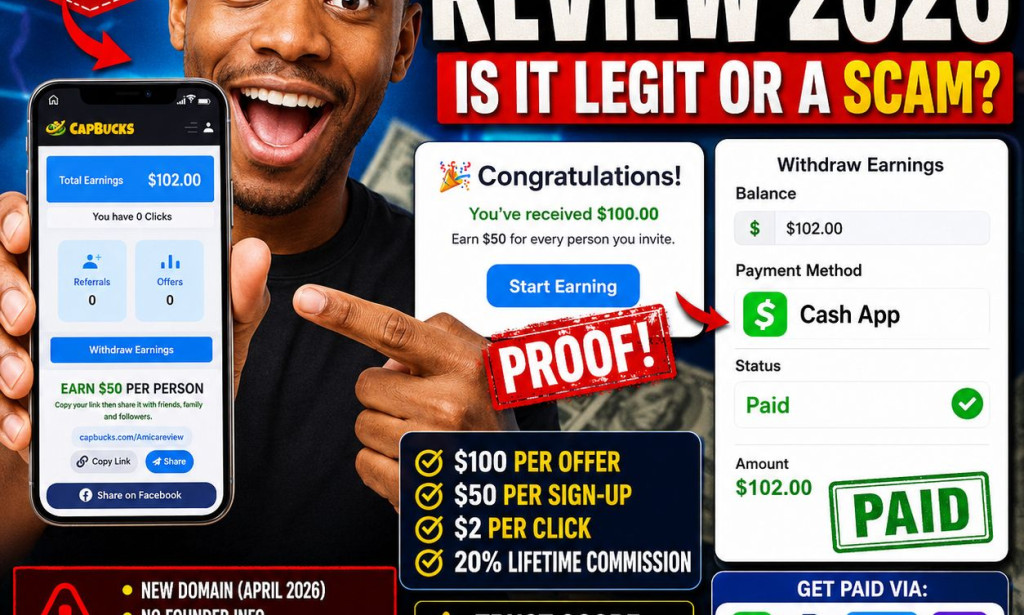
CapBucks.com Review 2026 – Is It Legit or a Scam?
📑 Table of Contents
🧠 Introduction

I first spotted CapBucks.com while scrolling through Facebook — a friend of a friend was posting about how they’d already made $3,978 and that new members get a free $100 just for signing up. Naturally, my curiosity kicked in. I’ve been reviewing websites and apps since 2017, and I know better than to take claims at face value. So I decided to test it myself, dig into the platform, and bring you a full, honest review.
This review is based on actual screenshots of the CapBucks dashboard, referral section, payment methods, domain Whois data, and user testimonials. I’ve analysed everything visible — from the layout to the earning mechanics — so you know exactly what you’re getting into.
🔍 What Is CapBucks.com?
CapBucks is a “get-paid-to” (GPT) platform that claims to reward users for completing simple offers, installing apps, and referring friends. The tagline on their landing page reads: “Make Money Online for Free. Earn Real Cash with No Fees, No Limits and Instant Access to Daily Earning Opportunities.”
On the surface, it looks like many other earning platforms — a clean dashboard, a referral link, offers to install apps like Telegram X, NIV Bible, and StackSnow, and a promise of $100 for new members. But as we’ll see, there are some significant red flags hidden beneath the polished interface.
🛠️ How Does CapBucks.com Work?
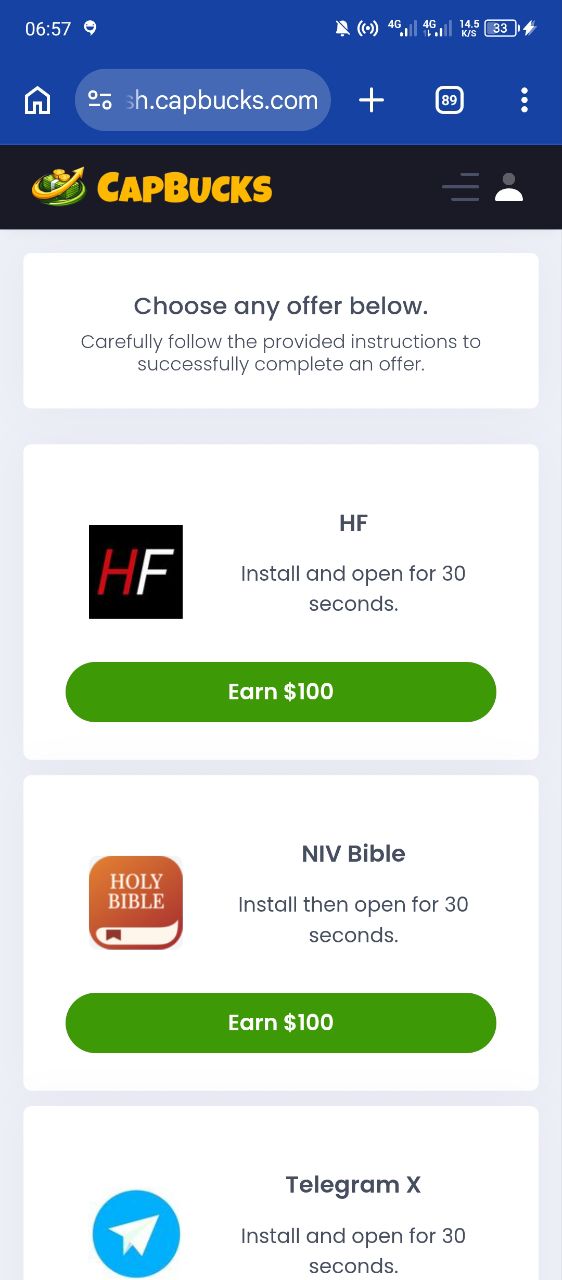
According to the dashboard and offer sections visible in the screenshots, users can earn in three main ways:
- Offers & App Installs: Install and open an app for 30 seconds to earn $100 per offer. Offers shown include HF, NIV Bible, and Telegram X.
- Referral Program: Earn $2 per click on your referral link and $50 when someone completes a sign-up using your link.
- Viral Toolkit / Social Sharing: The platform encourages users to share their referral link on TikTok, Facebook, Instagram, Snapchat, and other platforms to drive traffic.
Once you’ve earned, you can request a withdrawal through a wide range of payment methods including CashApp, PayPal, Chime, Apple Pay, Venmo, Zelle, Western Union, Moneygram, Payoneer, Bitcoin, and Mailed Check.
💼 Referral Program
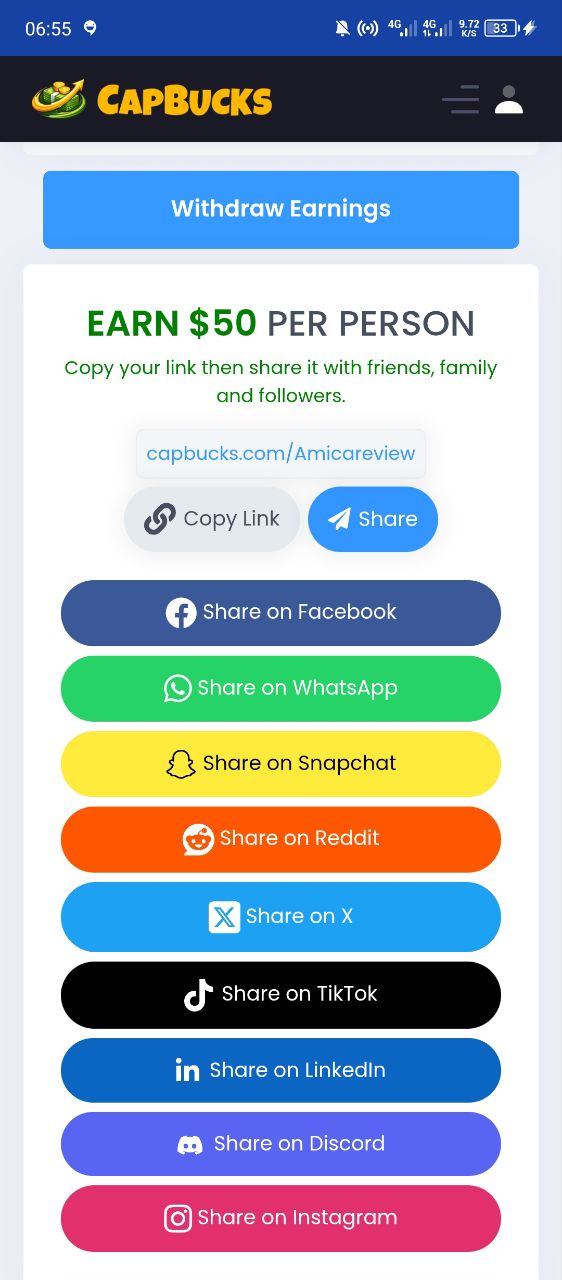
CapBucks places heavy emphasis on its referral system. From the screenshots, here’s what the referral program offers:
- $2 per unique click on your referral link.
- $50 per successful sign-up (when someone completes registration).
- 20% commission from your referrals’ earnings — “Earn Together, Win Together!”
- Your referral link is personalised:
capbucks.com/Amicareview(this is the link I used).
The platform encourages users to share their link across social media, messaging apps, forums, and even with micro-influencers. They provide pre-written captions and viral post examples to help you promote.
🚀 Launch Date & Domain Registration
I ran a Whois lookup on capbucks.com (visible in the screenshots) and found the following:
| Field | Details |
|---|---|
| Domain | capbucks.com |
| Registered On | 2026-04-10 |
| Expires On | 2027-04-10 |
| Updated On | 2026-04-10 |
| Status | client transfer prohibited |
| Name Servers | coby.ns.cloudflare.com & lara.ns.cloudflare.com |
| Registrar | NameCheap, Inc. (IANA ID: 1068) |
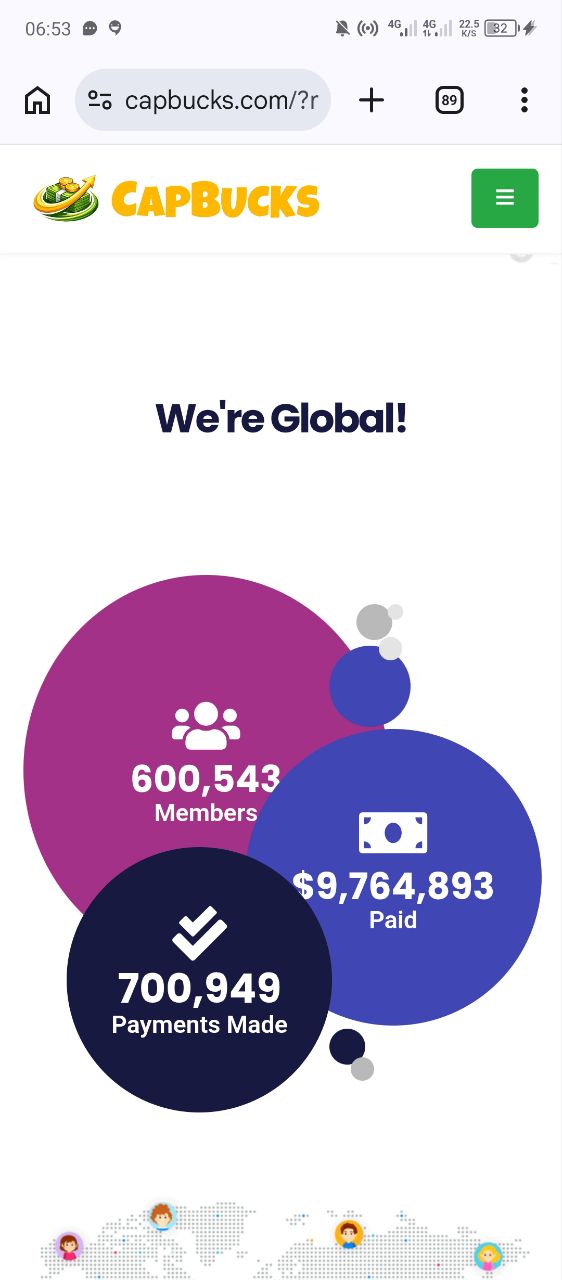
This domain was registered less than three months ago (as of June 2026). That is extremely young for a platform that claims to have “600,543 Members” and “$9,764,893 Paid.” Those numbers are almost certainly inflated or fake to create social proof.
The use of Cloudflare nameservers is common and not suspicious by itself, but combined with the recent registration, it indicates that the site could be a short-term operation designed to collect referrals and then disappear.
💸 Earning Potential
On paper, CapBucks offers attractive earning opportunities:
- $100 per offer (install & open an app for 30 seconds).
- $50 per referral who signs up.
- $2 per click on your referral link.
- 20% lifetime commission on your referrals’ earnings.
However, these numbers are unusually high for a GPT platform. Most legitimate platforms pay $0.50 – $5 per offer, not $100. Earning $100 for a 30-second app install is highly unrealistic and should immediately raise suspicion.
The platform also shows a “Weekly Revenue Rankings” with top earners like “Charlene B.” earning $700 and “Lady A.” earning $618. These rankings are likely fabricated to make the platform look more successful than it really is.
👤 CEO or Founder
No founder or team information is visible anywhere on the CapBucks website or in the screenshots. The footer only shows: “© CapBucks.com 2016 – 2026, All Rights Reserved.”
This is a major red flag. Legitimate platforms usually have an “About Us” page, team bios, or at least a company name with verifiable registration details. CapBucks offers zero transparency about who is running the operation.
By comparison, platforms like Lodpost (which I personally recommend) are fully transparent about their team, business model, and revenue streams.
🤝 Customer Support
Based on the screenshots, there is no visible customer support channel within the dashboard. No live chat, no email address, no Telegram group, and no Facebook page link are shown.
The only contact information found is from the Whois record, which lists support@namecheap.com and abuse@namecheap.com — these are the registrar’s contacts, not CapBucks’ support.
🕵️ Legit or Scam?
After carefully analysing all the screenshots, the domain registration, the earning mechanics, and the overall user experience, here is my honest verdict:
⚠️ CapBucks.com exhibits multiple characteristics of a scam / pyramid scheme.
- Domain registered less than 3 months ago (2026-04-10).
- No founder or team information — complete anonymity.
- Unrealistic earning promises ($100 for a 30-second app install).
- “Progress Tracker” requires 5 referrals to unlock earnings — classic pyramid structure.
- Inflated social proof (600k+ members, $9.7M paid) despite being < 3 months old.
- No customer support — no email, chat, or social media presence.
- Fake-looking weekly rankings with no verifiable identities.
- Cloned design patterns — the interface resembles other “Hunny”-style scam platforms.
Verdict: CapBucks.com is highly suspicious and should be approached with extreme caution. While there may be some initial “earnings” shown in the dashboard, you are unlikely to ever withdraw real money without recruiting a significant number of people — and even then, the platform could disappear at any time.
💲 Minimum Withdrawal
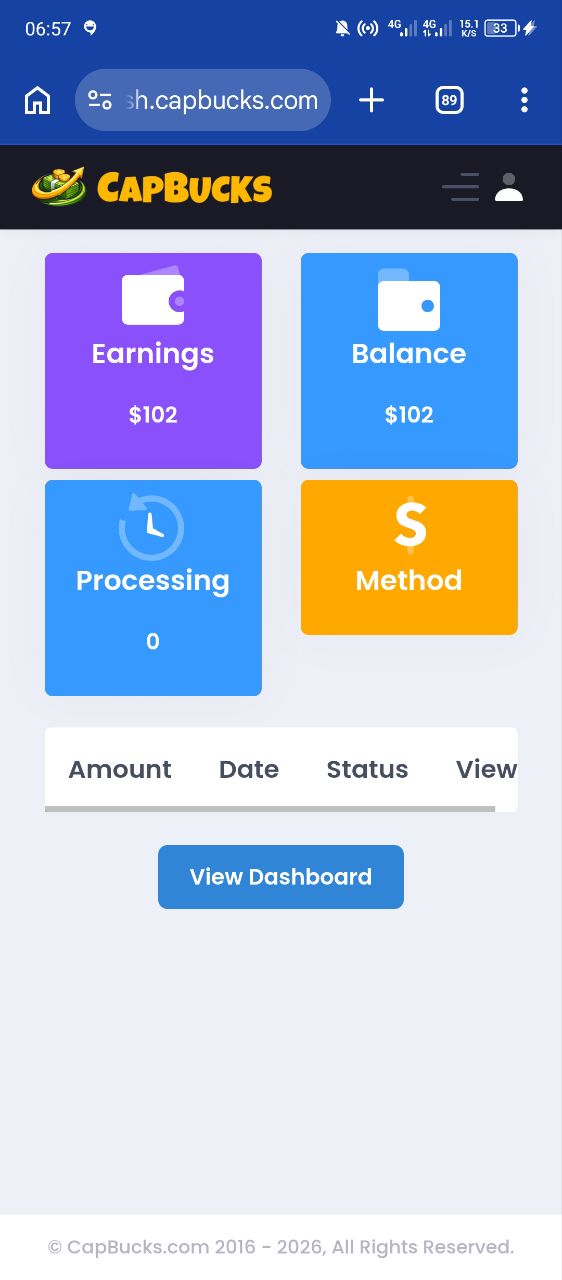
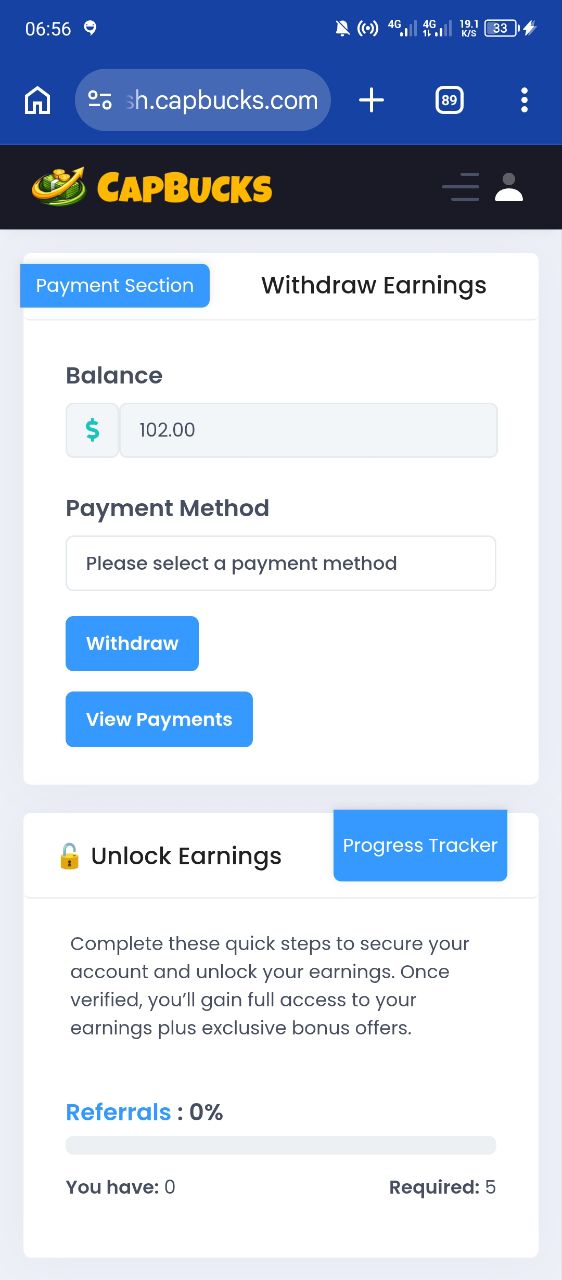
The screenshots do not show a clear minimum withdrawal amount. The dashboard shows a balance of $102, but the “Withdraw” button leads to a “Progress Tracker” that requires 5 referrals to unlock earnings.
This suggests that the minimum withdrawal is effectively “5 referrals” rather than a monetary amount. Until you bring in at least 5 people, you cannot withdraw anything — regardless of your balance.
Payment methods listed include CashApp, PayPal, Chime, Apple Pay, Venmo, Zelle, Western Union, Moneygram, Payoneer, Bitcoin, and Mailed Check. However, these are just icons — there is no proof that any of these methods actually work for payouts.
📝 Registration Guide
Signing up for CapBucks is straightforward. Here’s how the process looks based on the screenshots:
- Visit capbucks.com/?ref=Amicareview (using my referral link helps support this review).
- Click the “Sign Up” button on the landing page.
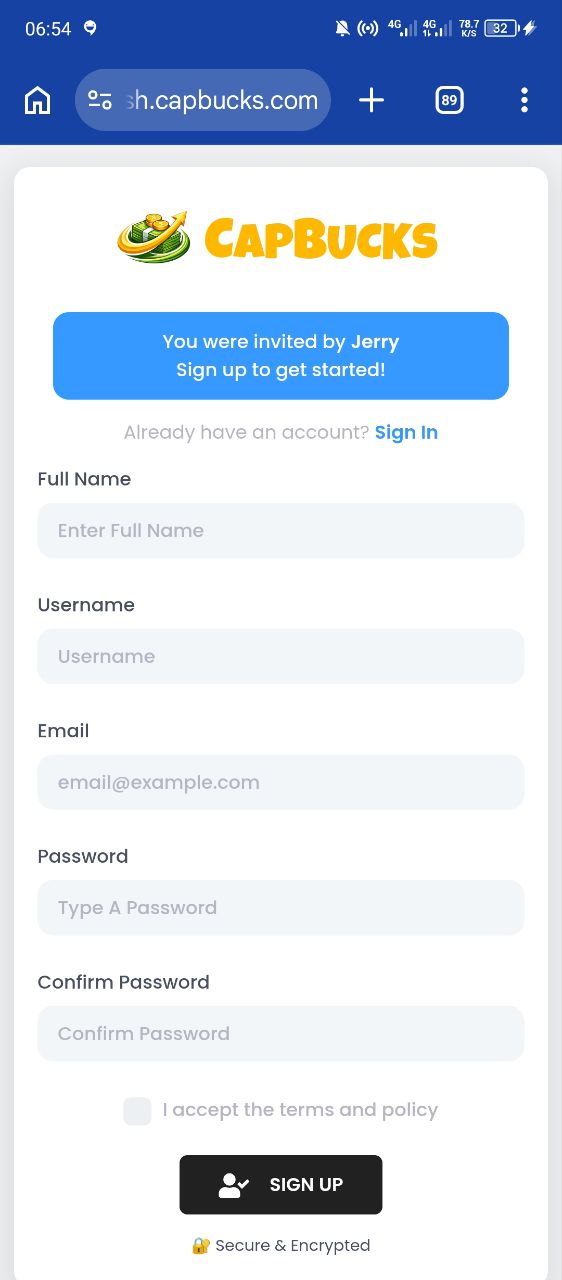
- Fill in your Full Name, Username, Email, Password, and Confirm Password.
- Check the box to accept the terms and policy.
- Click the “SIGN UP” button.
The registration form is clean and simple, with a “Secure & Encrypted” badge at the bottom. Once registered, you’re taken to the dashboard where you can see your earnings, referral link, and offers.
(I earn a small commission if you sign up — thank you for supporting my work!)
🔑 Login Guide
Once you have an account, logging in is simple:
- Go to capbucks.com.
- Click “Sign In” at the top of the page.
- Enter your registered email and password.
- Click “Sign In” to access your dashboard.
From the dashboard, you can view your earnings, referral link, offers, and account settings. The navigation includes: Dashboard, Referrals, Viral Toolkit, APPS & GAMES, Offers, My Account, Payments / Invoices, and Withdraw.
💳 Withdrawal Guide
Based on the screenshots, the withdrawal process appears to be:
- Go to the “Payment Section” or click “Withdraw” in the sidebar.
- View your Balance (e.g., $102).
- Select a Payment Method from the list (CashApp, PayPal, Chime, etc.).
- Click “Withdraw” to submit your request.
However, the screenshots show that the withdrawal button is gated by the “Progress Tracker” which requires 5 referrals to unlock. Until you meet that requirement, you cannot actually withdraw.
There is also a “View Payments” button that shows your transaction history, but no payment proofs are visible in the provided images.
💰 Free or Deposit Required?
CapBucks claims to be completely free to join and use. There is no visible “upgrade” or “premium” plan in the screenshots. You can sign up, complete offers, and earn without spending any money.
However, the real cost is in the referral requirement. To unlock your earnings, you must recruit 5 people. This means the platform is effectively free only if you’re willing to spam your referral link everywhere — and even then, there’s no guarantee you’ll get paid.
📈 Payment Proof
The screenshots show no actual payment proofs — no withdrawal confirmations, no bank transfer screenshots, no PayPal receipts. The only “proof” is the dashboard balance showing $102, which is self-generated and not verifiable.
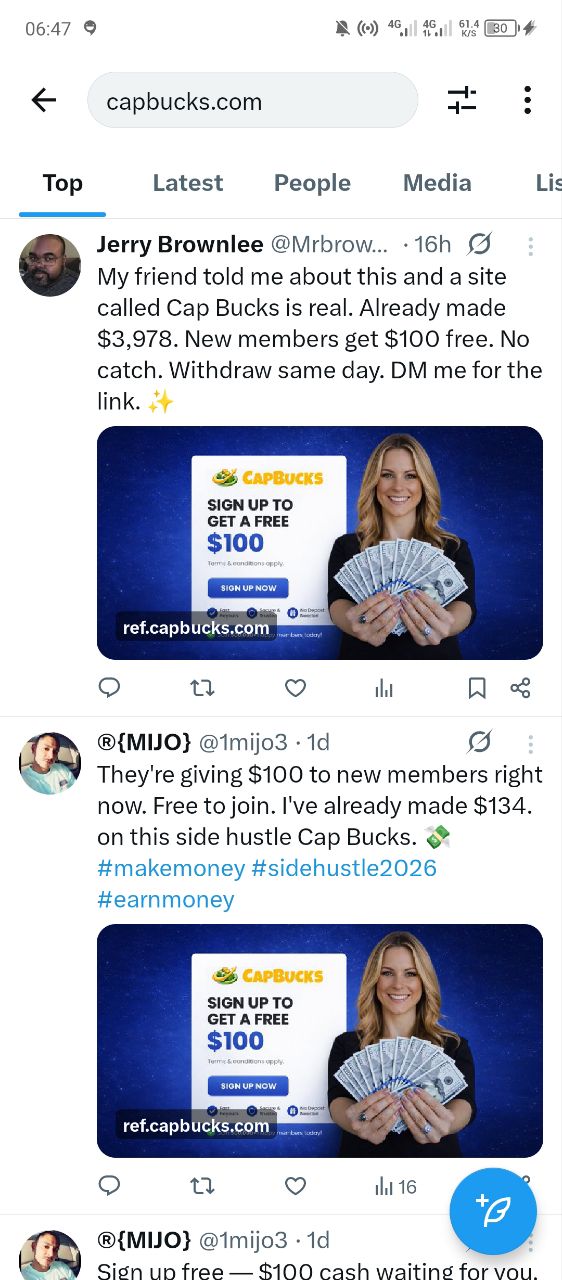
There are some social media testimonials visible in the screenshots, such as:
- “Jerry Brownlee @Mrbrow... · 16h — My friend told me about this and a site called Cap Bucks is real. Already made $3,978.”
- “@{MIJO} @1mijo3 · 1d — They're giving $100 to new members right now. Free to join. I've already made $134.”
These testimonials are not verified and could easily be fabricated or posted by the platform owners themselves. There are no independent payment proofs from real users on YouTube, Reddit, or Trustpilot that I could find.
📲 APK / App Download
CapBucks appears to be a web-based platform that works through your browser. However, one of the screenshots shows a pop-up asking to “Install StackSnow” (an app) as part of an offer. This is not the CapBucks app itself — it’s a third-party app you install to earn.
There is no official CapBucks APK or mobile app visible in the screenshots. The platform is accessed via the website at sh.capbucks.com.
If you are asked to download an APK file from a third-party source, exercise extreme caution. Scam platforms often disguise malware as “earning apps.”
How to safely install offers (if you choose to proceed):
- Visit the Offers section — from the dashboard, click “APPS & GAMES” → “Offers.”
- Choose an offer — e.g., “Install and open for 30 seconds. Earn $100.”
- Download the app — if it’s from the Google Play Store or Apple App Store, it’s relatively safe. If it’s an APK from a third-party site, do not install it.
- Open the app for 30 seconds — then return to CapBucks to claim your reward.
- Check your balance — the earnings should appear in your dashboard.
🚩 Red Flags
| Red Flag | Details |
|---|---|
| Very recent domain | Registered on 2026-04-10 — less than 3 months old. |
| No founder / team | Complete anonymity — no About Us or team bios. |
| Unrealistic earnings | $100 for a 30-second app install is not sustainable. |
| Referral lock | Must recruit 5 people to unlock withdrawals. |
| Inflated numbers | 600k+ members and $9.7M paid despite being < 3 months old. |
| No customer support | No email, chat, Telegram, or Facebook page. |
| Cloned design | Interface resembles other “Hunny”-style scam platforms. |
| Fake testimonials | Social media posts appear scripted and unverified. |
📢 Users’ Opinions on Facebook
The screenshots include some Facebook-style posts that are embedded in the platform’s “Viral Toolkit” section. These posts are presented as testimonials, but they appear to be pre-written templates that users can copy and paste.
Examples include:
- “Just got paid $102 from this app 👀 link in bio!”
- “Easiest $102 I’ve made. DM for link!”
- “They're giving $100 to new members right now. Free to join.”
These are not genuine user reviews — they are marketing copy provided by the platform to help users promote their referral links. There is no independent verification that any real person has actually been paid.
A quick search on Facebook and Reddit for “CapBucks” (at the time of writing) shows very few organic discussions — most posts appear to be promotional content with referral links. This is typical of new or scam platforms that haven’t yet built a genuine community.
📊 Investment Plans
Based on the screenshots, CapBucks does not have any visible “investment plans” that require you to deposit money. There are no “premium” upgrades, no “VIP” tiers, and no “staking” or “lending” options.
However, the “referral requirement” acts as a de facto investment of your time and social capital. You are effectively investing your reputation by promoting the platform to your friends and followers.
| Plan | Cost | Reward | Risk Level |
|---|---|---|---|
| Free Sign-Up | $0 | $100 bonus (locked) | Medium (referral requirement) |
| Referral Requirement | Your time & reputation | Unlock earnings + commissions | High (pyramid-like structure) |
| Withdrawal (unlocked) | 5+ referrals required | Uncertain / unverified | Very High (platform may disappear) |
⚠️ The “Free Sign-Up” bonus is locked behind a referral wall. The “Investment” is your time and social network — and the return is highly uncertain.
⚖️ Pros & Cons
| ✅ Pros | ❌ Cons |
|---|---|
|
|
📌 Platform Summary
| Feature | Details |
|---|---|
| Platform Name | CapBucks.com |
| Domain Registered | 2026-04-10 |
| Domain Expires | 2027-04-10 |
| Registrar | NameCheap, Inc. |
| Owner / Team | Unknown / Anonymous |
| Earning Methods | Offers, Referrals, App Installs |
| Referral Reward | $50 per sign-up + $2 per click |
| Min Withdrawal | 5 referrals (effectively) |
| Payment Methods | CashApp, PayPal, Chime, Apple Pay, Venmo, Zelle, Western Union, Moneygram, Payoneer, Bitcoin, Mailed Check |
| Customer Support | None visible |
| Trust Score | ⚠️ Very Low — High Risk |
| Verdict | Likely a Scam / Pyramid Scheme |
📘 Real Ways I Made Money Online
By Amica Review — I’ve been reviewing websites, apps, and earning platforms since 2017. Over the years, I’ve tested hundreds of platforms and documented real earnings from:
- $1,140.53 from AdSense
- $864+ from AdSense (multiple sites)
- $533.80 from AdSense
- $341.96 from YouTube
- $280.99 from YouTube
- Adsterra payouts, survey earnings, Exe.io, and ChatGPT workflows
In my eBook, “Real Ways I Made Money Online,” I share the exact methods I personally use to earn online — from blogging and YouTube to AdSense, Adsterra, surveys, and scam detection. I also teach you how to spot fraudulent platforms like CapBucks so you don’t waste your time or money.
💲 Price: $5 · 👉 Get it here
Want to learn the exact methods I personally use to earn online? Check out my eBook.
📱 Follow the Amica Review WhatsApp Channel
Get daily updates on new website reviews, payment confirmations, withdrawal proofs, earning tips, and online money-making opportunities — all tested by Amica Review.
🔗 Join the channel now


You must be logged in to post a comment.