
CashHopper App Review – Scam or Legit? (Full Honest Breakdown)
1. Introduction (My Experience Discovering CashHopper)
I recently came across an app called CashHopper – Play & Earn, and honestly, at first glance, it looked like one of those typical “play games and earn money” apps that flood social media these days. I kept seeing people posting referral links everywhere—Facebook groups, WhatsApp, even Telegram—with claims like “withdraw instantly,” “no referral needed,” and “minimum withdrawal $0.20.”
That immediately caught my attention.
So I decided not to rely on what people were saying. Instead, I downloaded the app, explored every section, checked the dashboard, referral system, wallet, and even analyzed the Play Store details and user posts.
What I found is exactly what I’m going to break down in this detailed review—based strictly on the screenshots and actual interface.
2. What CashHopper is All About
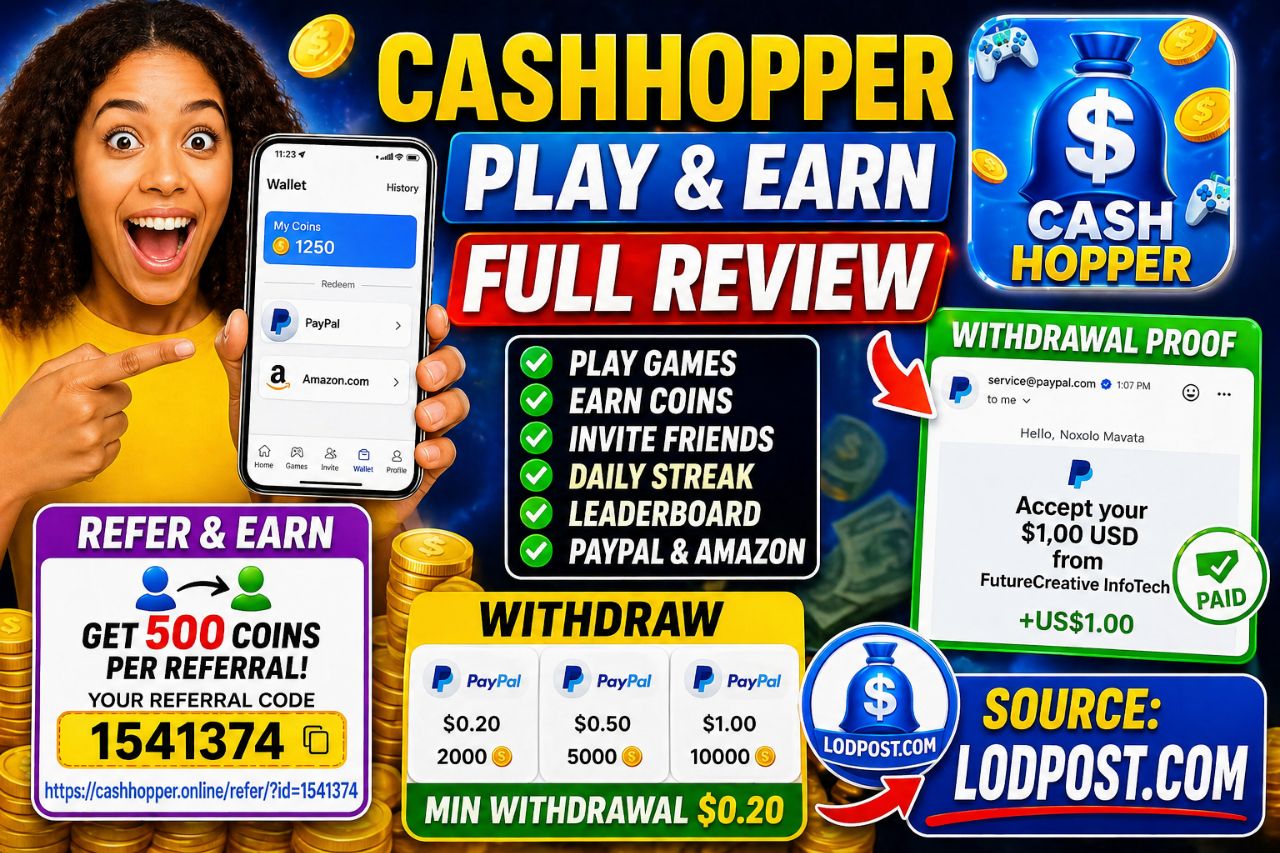
From the screenshots, CashHopper is a reward-based mobile app that claims to let users:
- Play games
- Complete tasks
- Earn coins
- Convert coins into real money (PayPal or gift cards)
The app branding is very clean and modern:
- Blue and white color theme
- Cartoon-style icons (coins, gifts, gamepads)
- Simple navigation tabs at the bottom:
- Home
- Games
- Invite
- Wallet
- Profile
On the welcome screen, I saw:
- “Welcome to Cash Hopper”
- A gift box animation with coins popping out
- A big “Login with Google” button
This tells me the app is designed to be very easy to access—no email signup stress.
3. How It Works (Based on Dashboard)
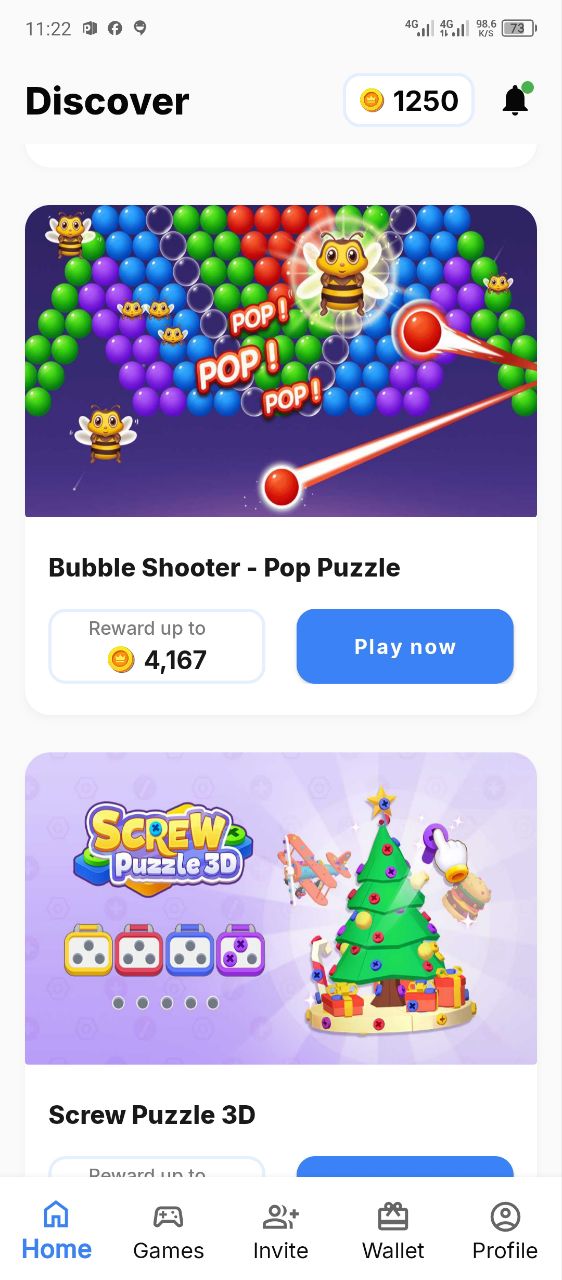
Main Dashboard (Discover/Home)
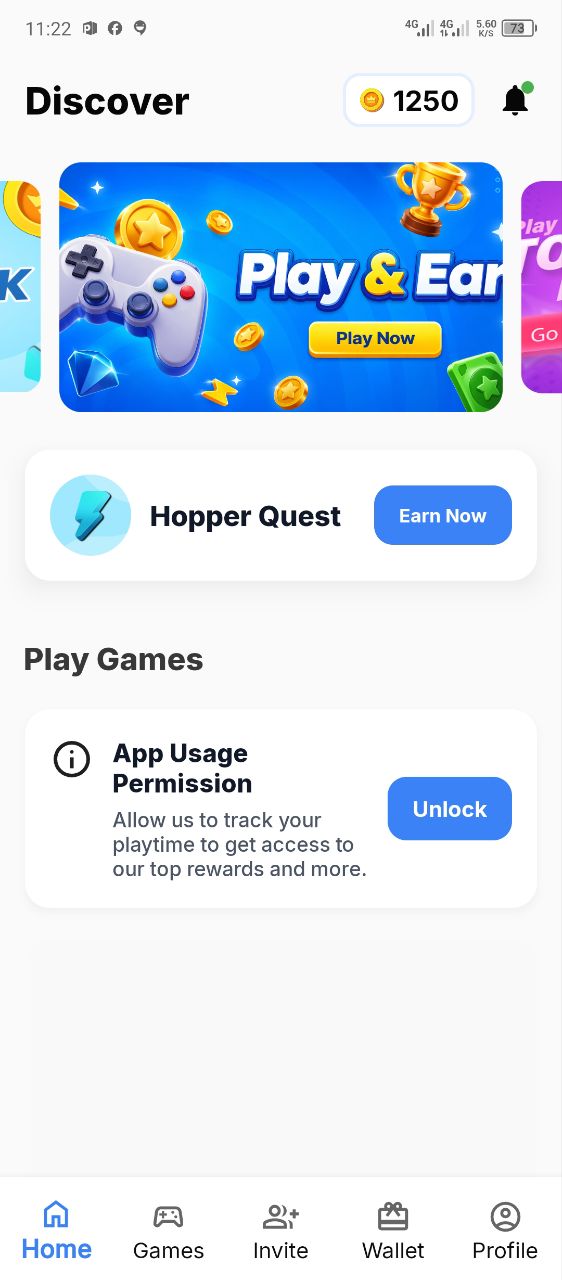
The home section is labeled “Discover” and shows:
- Game offers like:
- Screw Nuts – Wood Bolts
- Trivia Master
- Bubble Shooter
- Screw Puzzle 3D
Each game has:
- “Reward up to XXXX coins”
- A “Play Now” button
There’s also a coin balance displayed at the top (1250 coins).
Task System
There is something called:
- Hopper Quest (Earn Now)
- Daily streak rewards
- Milestone tasks (Finish level 4, 10, 20, etc.)
This shows the app tracks:
- Playtime
- Game progress
- Daily activity
⚠️ Important Observation
Before earning properly, the app forces:
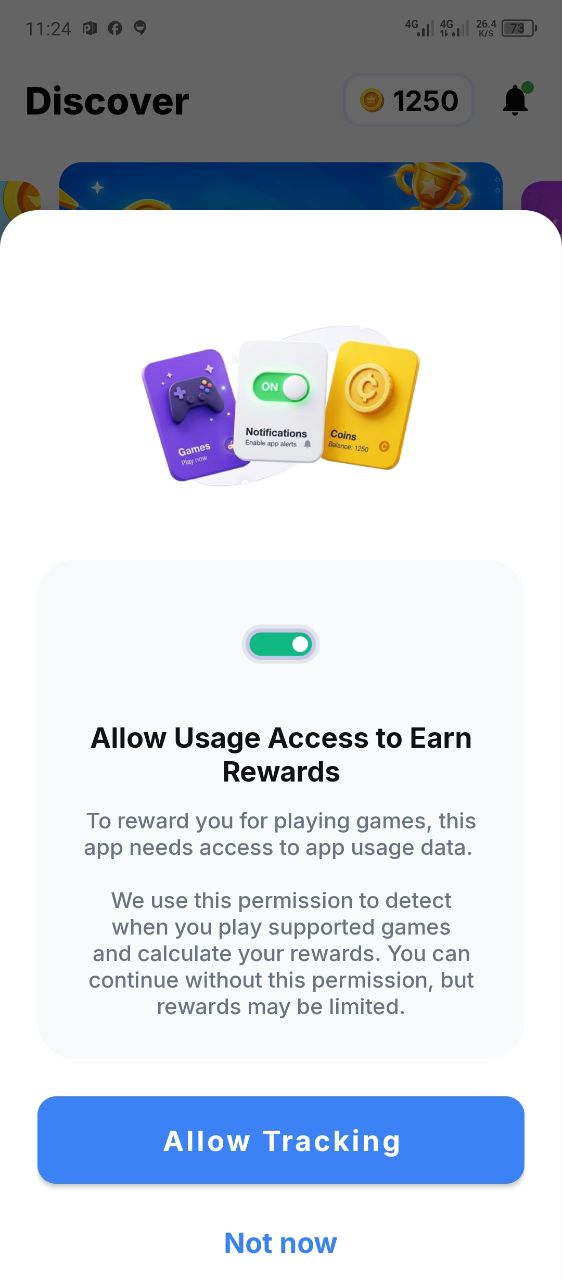
“Allow Usage Access to Earn Rewards”
Meaning:
- It tracks your phone usage
- Monitors what apps you open
- Tracks how long you play games
There is also:
- Notification permission request
- Tracking permission pop-up
👉 This is a big data privacy concern.

4. CEO / Developer Info
From the Play Store screenshot:
- Developer: Ar Apps Studio
- Name shown: Rajesh Kumar
- Email: kumar.rakesh84929@gmail.com
- Country: India
My Honest Take
This is a low-transparency developer profile because:
- No official company website
- No verified business identity
- Using Gmail instead of a professional domain
👉 This is common in clone reward apps.
5. Source of Income (How CashHopper Makes Money)
From what I observed:
1. Ads Revenue
- The Play Store clearly says: “Contains ads”
- Users must watch ads while playing
2. Data Tracking
- App usage tracking permission
- Likely monetizing user behavior
3. Game Partnerships
- Third-party games generate commissions
4. Referral Growth
- Strong push on invite system
👉 So the app earns money from: Ads + user data + referrals + game installs
6. Referral Program Details
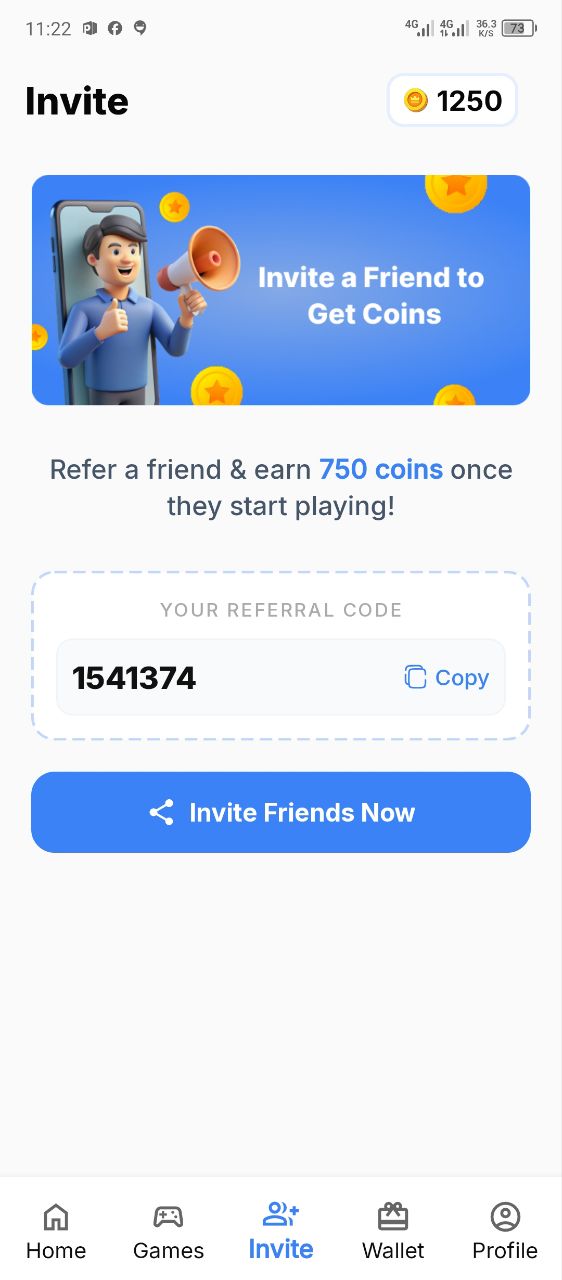
Inside the Invite section, I saw:
- “Invite a Friend to Get Coins”
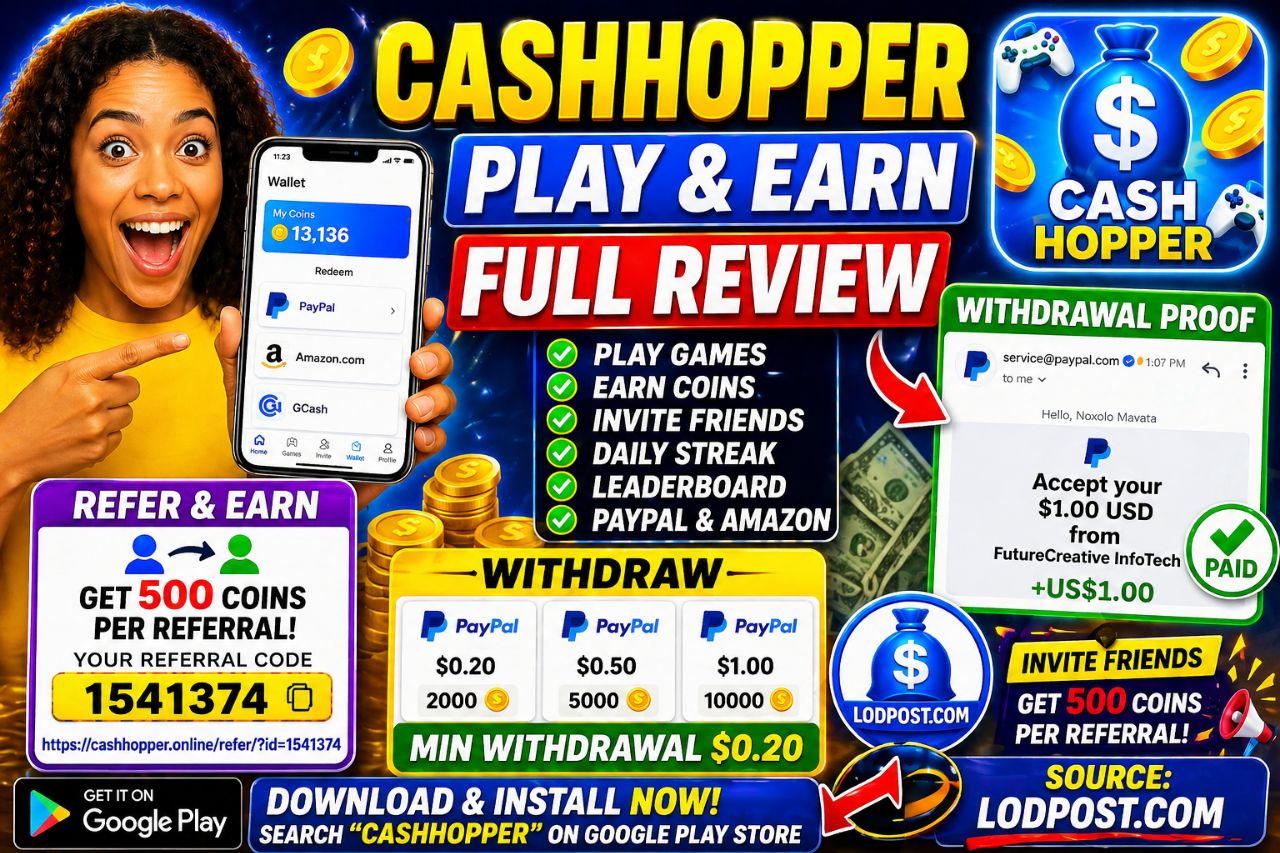
- Reward: 750 coins per referral
- Personal referral code displayed
- “Invite Friends Now” button
How It Works
- You share your link
- When someone signs up and plays → you earn coins
⚠️ Red Flag Here
Social media posts show:
- People aggressively promoting links
- Claims like:
- “No referral needed” (contradictory)
- “You must refer to withdraw” (also seen)
👉 This inconsistency is a warning sign.
7. Withdrawal System & Payment Methods
Wallet Section
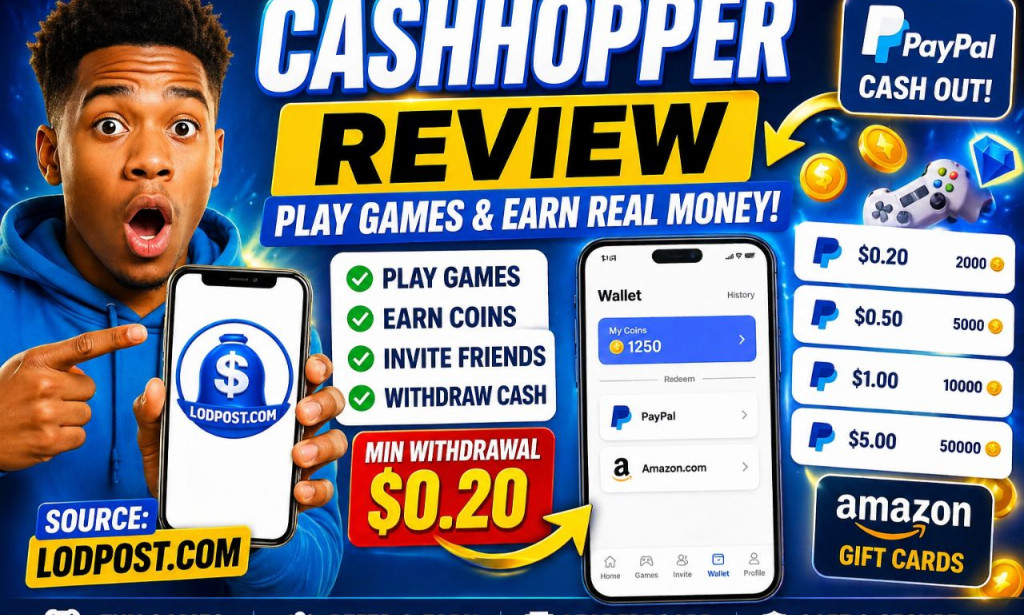
- “My Coins: 1250”
- “Redeem” section
Payment Options
- PayPal
- Amazon gift cards
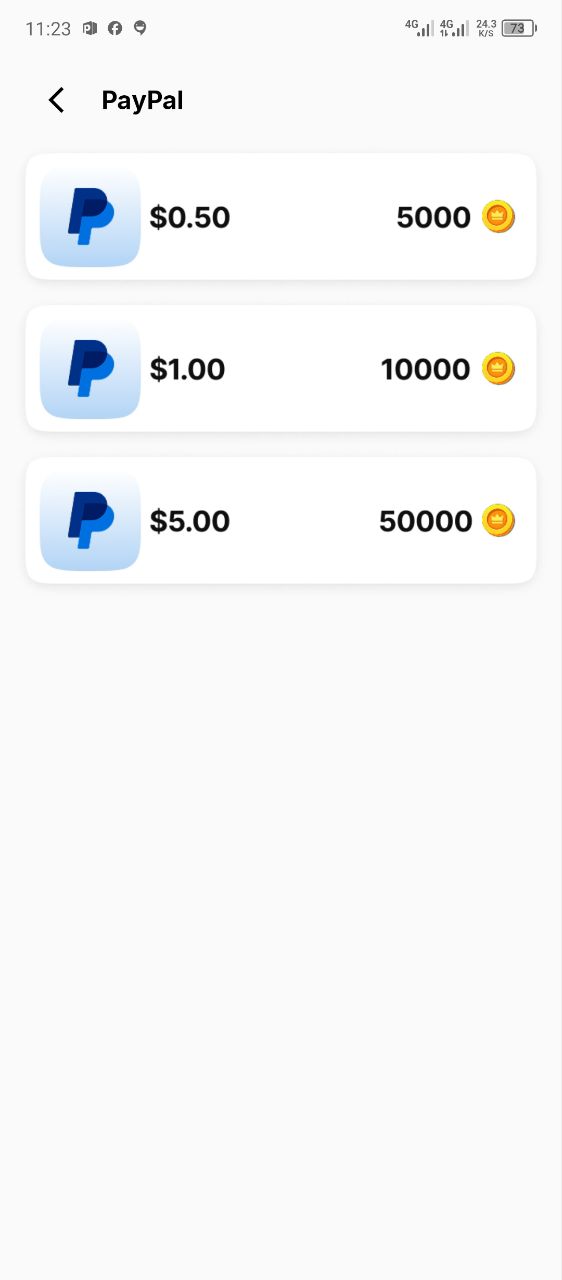
PayPal Withdrawal Options
From the screenshot:
- $0.50 = 5000 coins
- $1.00 = 10000 coins
- $5.00 = 50000 coins
Also seen elsewhere:
- $0.20 = 2000 coins
My Analysis
At first glance:
- Looks easy (low minimum withdrawal)
But reality:
👉 You start with 1250 coins 👉 You need 2000+ coins minimum
Meaning:
- You must grind or refer
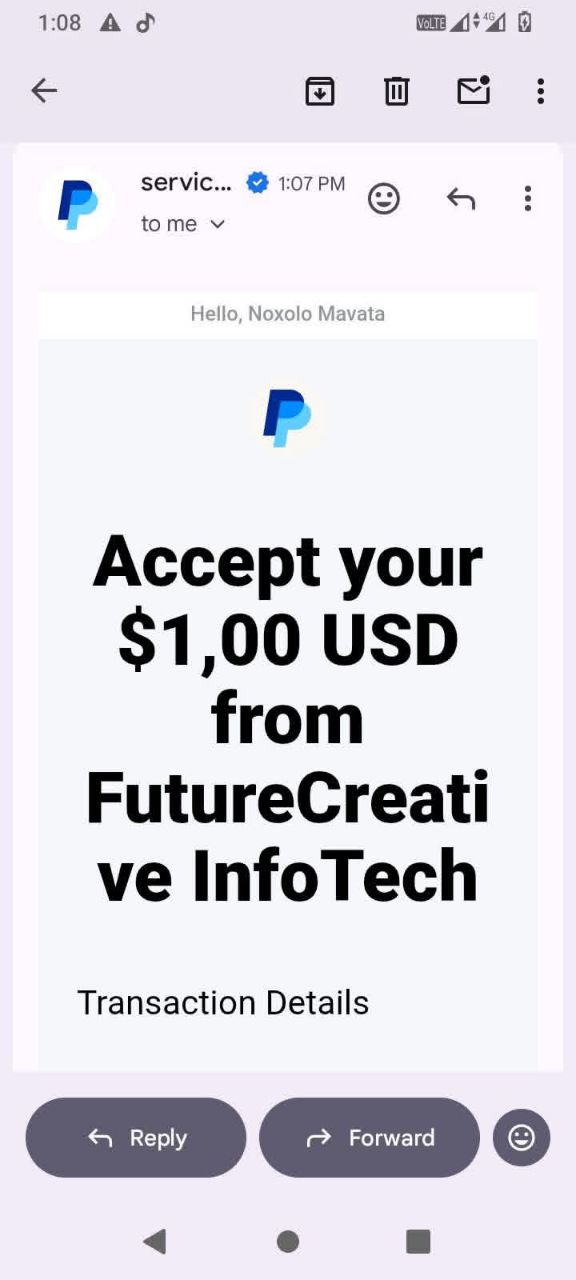
Suspicious Payment Proof
One screenshot shows:
- “Accept your $1.00 USD from FutureCreative InfoTech”
⚠️ This is not directly from “CashHopper”
👉 This suggests:
- Payments might come from third-party sources
- Or possibly manipulated proof
Register & Login (CashHopper)
When I opened the app, the registration and login process was extremely simple, which is something I noticed immediately from the screenshots.
The welcome screen shows:
- A clean blue background
- A gift box with coins popping out
- The text “Welcome to Cash Hopper”
- And most importantly, a big button: “Login with Google”
👉 There is no manual signup form (no email/password creation). Everything is done through Google.
How I Registered / Logged In
Here’s exactly how it works:
- Open the app
- Tap “Login with Google”
- Select your Gmail account
- Instantly redirected into the dashboard
That’s it — no verification stress, no OTP.
⚠️ Important Observation
Right after logging in, the app starts asking for permissions:
- Notification access (“Allow CashHopper to send notifications?”)
- Usage tracking permission (“Allow usage access to earn rewards”)
👉 This means:
- The app tracks your activity
- Monitors when you play games
⚠️ If you don’t allow it, your rewards may be limited.
This is something I personally consider a privacy red flag, especially for an earning app.
How to Withdraw (Step-by-Step)
From the wallet screenshots, I carefully checked how withdrawals work.
Step 1: Open Wallet
- Tap the “Wallet” icon at the bottom
- You will see:
- “My Coins: 1250”
- A Redeem section
Step 2: Choose Payment Method
Available options:
- PayPal
- Amazon gift card
Step 3: Select Withdrawal Amount
From the PayPal screen:
- $0.20 → 2000 coins
- $0.50 → 5000 coins
- $1.00 → 10000 coins
- $5.00 → 50000 coins
Step 4: Redeem
- Tap your desired amount
- Enter payment details (if required)
- Submit request
⚠️ Reality Check (Important)
From my observation:
- You start with around 1250 coins
- Minimum withdrawal is 2000 coins
👉 Meaning:
- You must play more or refer friends
Also:
- Some social proof shows payments
- But they come from different company names, not clearly “CashHopper”
⚠️ So withdrawal is not guaranteed for everyone
Launched Date & Domain Information
From the Play Store and domain details:
App Launch Info
- Released on: March 12, 2026
- Version: 1.0.6
- Updated: April 24, 2026
- Downloads: 10,000+
Domain Details (cashhopper.online)
- Registered On: March 17, 2026
- Expires On: March 17, 2027
- Updated On: March 22, 2026
- Status: Client transfer prohibited
- Name Servers:
- coby.ns.cloudflare.com
- elle.ns.cloudflare.com
⚠️ My Observation
- The app and domain were created almost at the same time
- Domain validity is just 1 year
👉 This is common with:
- Short-term earning apps
- Apps that may not last long
How to Download & Install from Google Play Store
Here’s how I installed the app step-by-step:
Method 1 (Direct Play Store)
- Open Google Play Store
- Search: CashHopper – Play & Earn
- Look for:
- Blue icon with coins
- Developer: Ar Apps Studio
- Tap Install
- Wait for download (around 15MB)
- Open the app
Method 2 (Using Referral Link 🔥)
You can also install using my referral link:
👉 https://cashhopper.online/refer/?id=1541374
Steps:
- Click the link
- You’ll see a page saying:
- “Redirecting to Play Store…”
- A yellow Download Now button
- Tap the button if it doesn’t redirect
- Install from Play Store
- Open and login with Google
⚠️ Important Tip
Make sure:
- You install from Google Play only
- Not from unknown APK sites
Final Thoughts on These Sections
From everything I observed:
✔ Registration is easy (Google login)
❌ But permissions are intrusive
✔ Withdrawal system looks simple
❌ But earning enough coins is slow
❌ Domain is very new (risk factor)
8. Red Flags (Very Important Section)
After analyzing everything, here are the major red flags:
🚩 1. Usage Tracking Permission
- App requests deep access to your phone activity
🚩 2. No Real Reviews
- Play Store shows:
- “No reviews yet”
👉 That’s suspicious for an earning app
🚩 3. Low Transparency Developer
- No company website
- Personal Gmail used
🚩 4. Referral Spam Everywhere
- Facebook filled with:
- Referral links
- Hype posts
- Fake urgency (“loot now”)
🚩 5. Unrealistic Earnings Claims
- “Earn real money easily”
- “Withdraw without referral”
But: 👉 Evidence shows it’s not that simple
🚩 6. Third-Party Payment Proof
- Not clearly linked to the app
🚩 7. High Coin Requirements vs Earnings
- Slow earning
- High withdrawal threshold
9. What Real Users Are Saying
From Facebook screenshots:
Positive Claims
- “Withdraw immediately”
- “No referral needed”
- “Great app”
Neutral/Questioning
- “How long to receive payment?”
Negative Signals
- “I can't play games”
- Confusion about withdrawals
- People chasing coins for weeks
My Interpretation
👉 Most “positive reviews” look like:
- Referral promoters
👉 Real users:
- Are confused
- Not fully successful
10. Alternative (Lodpost – Legit Option)
Instead of wasting time on apps like this, I personally recommend:
Lodpost (Write & Earn Platform)
- Sign up: https://lodpost.com/register
- Bonus: $0.25
- Minimum withdrawal: $10
- Payment methods:
- PayPal
- Crypto
- Bank transfer
Why Lodpost is Better
- You earn from real content (not fake coins)
- Transparent earnings dashboard
- No forced referrals
- Real payment proofs available
👉 You can earn up to $900 monthly just by writing
11. Final Verdict – Is CashHopper Legit or Scam?
My Honest Verdict:
👉 CashHopper is NOT a fully trustworthy earning app
Why?
✔ It has real features (games, wallet, referrals)
❌ But too many red flags:
- Data tracking
- Weak developer transparency
- Referral-driven growth
- Questionable payment proof
- No real user reviews
Final Rating
⭐ 2/5
👉 Works as a time-wasting reward app, not a reliable income source.

You must be logged in to post a comment.