
Have you ever charged your phone to 100 percent in the morning, only to discover that the battery is almost empty before the day is over? You are not alone. Fast battery drain is one of the most common problems smartphone users experience.
A phone battery naturally loses capacity as it gets older, but several everyday habits and settings can make the problem much worse. The good news is that you can often improve battery life without buying a new phone.
Here are some of the most common reasons your phone battery drains quickly and what you can do about them.
1. Your Screen Is Using Too Much Power
The display is one of the biggest sources of battery consumption on most smartphones.
If your screen brightness is permanently set to maximum, your phone will need more energy to keep the display illuminated. Using a high refresh rate, such as 90Hz, 120Hz, or higher, can also consume additional power compared with a standard refresh rate.
This does not mean you should avoid using a bright screen or a high refresh rate. These features can make your phone more enjoyable to use. However, reducing brightness when you do not need it can make a noticeable difference.
Try enabling automatic brightness so that your phone adjusts the display according to the surrounding light. You can also reduce the screen timeout so that the display turns off sooner when you stop using the device.
2. Too Many Apps Are Running in the Background
Some applications continue working even when you are not actively using them.
Social media apps, messaging applications, cloud-storage services, email applications, navigation tools, and other programs may periodically connect to the internet, synchronize information, use your location, or send notifications.
Individually, these activities may not consume much power. However, dozens of applications performing background activities throughout the day can contribute to noticeable battery drain.
Check your phone's battery settings to see which applications are consuming the most power. If an application you rarely use is consuming a surprising amount of battery, consider restricting its background activity or uninstalling it.
3. Poor Network Signal Can Drain Your Battery
Many people do not realize how much a weak cellular signal can affect battery life.
When your phone has a strong connection to a nearby mobile tower, maintaining communication generally requires less effort. When the signal is weak, the phone may work harder to maintain connectivity.
This can be particularly noticeable in buildings, rural areas, underground locations, or places surrounded by thick walls.
If you are somewhere with extremely poor reception and do not need to make calls or use mobile data, using airplane mode temporarily can help conserve battery. Just remember to turn it off when you need normal connectivity again.
4. Location Services Can Consume Power
GPS and other location-based services are useful for navigation, weather applications, food delivery, ride-hailing services, maps, and many other tools.
However, allowing numerous applications to access your location continuously can increase battery consumption.
Check which apps have permission to access your location. If an application does not need your location all the time, change its permission to something more appropriate, such as allowing access only while the application is being used.
This can reduce unnecessary background activity while also giving you greater control over your privacy.
5. Notifications Can Keep Waking Your Phone
Every notification may cause your phone to light up, vibrate, play a sound, or perform background processing.
Receiving dozens or hundreds of notifications throughout the day can therefore have an effect on battery life.
The solution is not necessarily to disable every notification. Instead, review your notification settings and turn off alerts from applications that are not important.
For example, you may want notifications from calls and messaging applications while disabling unnecessary promotional alerts from shopping or entertainment apps.
Fewer interruptions can mean both better battery life and a less distracting phone experience.
6. Your Battery May Simply Be Old
Smartphone batteries do not last forever.
Most modern phones use lithium-ion or lithium-polymer batteries. Over time, repeated charging and discharging gradually reduce their ability to hold the same amount of energy they could when they were new.
This means that a phone that once lasted all day may eventually need to be charged more frequently.
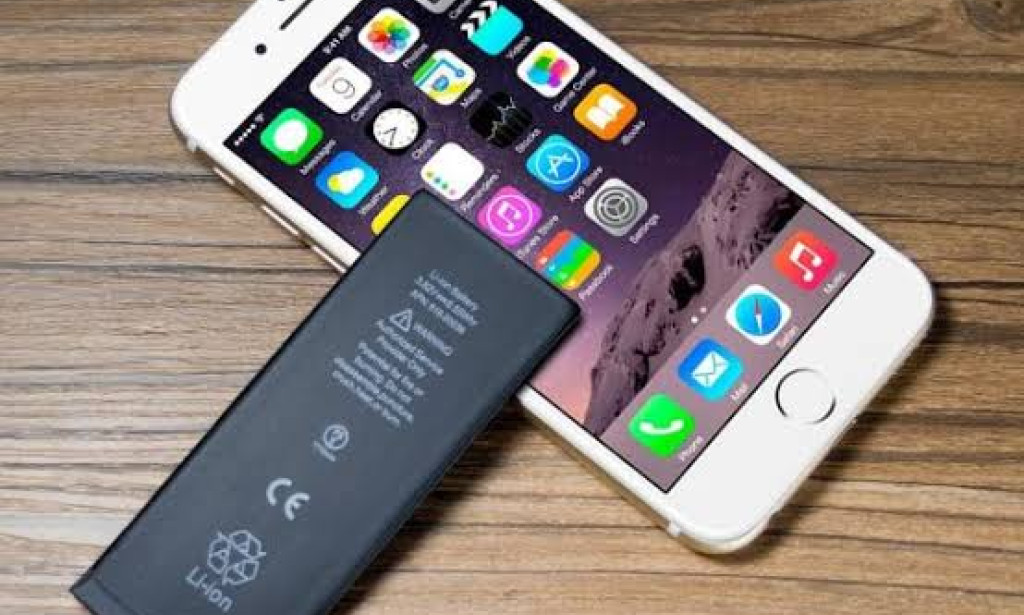
If your phone is several years old and its battery health has significantly declined, changing settings may only provide limited improvement. In that situation, replacing the battery, where practical and supported by the manufacturer, may restore much of the phone's original battery life.
Before replacing it, check your phone's built-in battery-health information if available.
7. Extreme Temperatures Can Affect Battery Performance
Temperature can have a significant effect on rechargeable batteries.
Very high temperatures are particularly undesirable because excessive heat can accelerate battery degradation. Leaving a phone in direct sunlight, inside a hot vehicle, or near another heat source can therefore be harmful.
Extremely cold conditions can also temporarily reduce battery performance.
Try to keep your phone within a comfortable temperature range and avoid exposing it to unnecessary heat. If your device becomes unusually hot while charging or performing demanding tasks, allow it to cool down.
8. Gaming and Video Streaming Use a Lot of Energy
Modern smartphones are powerful enough to run demanding games, stream high-resolution video, edit photographs, and perform other intensive tasks.
However, powerful activities require more energy.
Mobile gaming can be especially demanding because it may use the processor, graphics processor, display, speakers, internet connection, and other components simultaneously.
Similarly, streaming high-resolution video for several hours can significantly reduce your battery level.
If you need your phone to last longer, consider lowering video quality when high resolution is unnecessary and reducing graphics settings in demanding games.
9. Your Phone May Be Searching for Bluetooth or Wi-Fi Connections
Wireless connectivity features are convenient, but constant searching can consume some additional power.
Bluetooth is generally designed to be energy efficient, and modern phones are much better at managing wireless connections than older devices. Nevertheless, turning off connections you are not using can help conserve energy in certain situations.
For example, if you are traveling and do not need Bluetooth or Wi-Fi for an extended period, disabling them can reduce unnecessary activity.
However, there is no need to obsess over switching these features off every few minutes. The biggest improvements usually come from addressing major sources of battery consumption.
10. Software Problems Can Cause Unusual Battery Drain
Sometimes battery drain is caused by a software problem rather than normal usage.
An application may become stuck in the background, repeatedly attempt to connect to a server, or consume an unusual amount of processing power.
If your battery suddenly begins draining much faster than normal, check your battery-usage statistics. Look for an application that has unexpectedly high consumption.
Restarting your phone can also resolve temporary software problems. Installing available system and application updates may help as well, particularly when an update includes bug fixes or improvements to power management.
How to Make Your Battery Last Longer
You do not need to change every setting on your phone to improve battery life. Start with the biggest sources of consumption.
Reduce screen brightness when practical, use automatic brightness, and shorten the screen timeout. Review applications that run in the background and remove apps you no longer need.
Keep unnecessary notifications under control and review location permissions. When you know you will be away from a charger for a long time, enable your phone's built-in battery-saving mode.
Battery Saver or Low Power Mode can reduce certain background activities and performance features to extend the remaining battery life.
It is also useful to carry a reliable charger or power bank when you expect to spend a long time away from a power outlet.
Should You Charge Your Phone Overnight?
Many modern smartphones include charging-management features designed to reduce the amount of time the battery spends at a very high charge level.
Therefore, charging overnight is not automatically a disaster for a modern smartphone. However, heat remains an important consideration.
Using a damaged or poor-quality charger or cable can also create unnecessary risks. Use compatible charging accessories and avoid charging the device in situations where it becomes excessively hot.
If your phone offers optimized or adaptive charging, enabling that feature can be a sensible choice.
When Should You Replace Your Phone Battery?
If your phone is otherwise working well but the battery has become weak, replacing the battery may be more practical than replacing the entire device.
Signs of an aging battery can include dramatically shorter battery life, unexpected shutdowns, rapid drops in the battery percentage, or a device that struggles to maintain power during normal use.
However, a battery that becomes swollen is different. A swollen battery can be a safety hazard. If you notice that your phone's screen or back cover is lifting, stop using the device and seek professional assistance rather than attempting to puncture or remove the battery yourself.
Final Thoughts
Fast battery drain does not always mean that your phone is defective. Often, several small factors are responsible: a bright display, demanding applications, weak network reception, location services, notifications, high temperatures, or an aging battery.
The best first step is to open your phone's battery settings and identify what is actually consuming the most power. Instead of disabling everything, focus on the biggest sources of consumption.
A few simple changes can make your phone last considerably longer between charges. And if the battery is genuinely worn out, replacing it may give an otherwise good phone a new lease on life.
The key is to understand how your device uses energy and make practical adjustments rather than following random battery-saving tricks. Your phone already provides many of the tools you need to diagnose the problem.


You must be logged in to post a comment.