
7 Free AI Tools You Can Use to Make Your Life Easier in 2026
Introduction
Have you ever wished you could finish your work faster, improve your writing, create beautiful pictures, or learn something new without spending money? In 2026, artificial intelligence (AI) is making many of these things possible.
AI tools can help students with their studies, workers with everyday tasks, business owners with marketing, and content creators with new ideas. The good news is that several popular AI tools offer free versions that beginners can try.
However, free does not always mean unlimited. Some tools restrict the number of messages, images, or features you can use without paying.
In this article, we will explore seven useful AI tools, what they can do, and how you can use them in your daily life.
1. ChatGPT — Your AI Assistant
ChatGPT is an AI assistant that can help you answer questions, generate ideas, understand difficult topics, and improve your writing.
It can be useful for students, business owners, writers, and people who want to learn new skills.
Practical examples:
- A student can ask for a simple explanation of a difficult Mathematics topic.
- A writer can use it to brainstorm article ideas.
- A small business owner can ask it to draft a product description.
- Someone learning English can practise sentence construction.
For example, you could type:
"Explain how to write a good CV using simple English. Give me an example."
ChatGPT can provide a structured explanation and an example to help you get started.
Website: https://chatgpt.com/
Important: ChatGPT can sometimes give incorrect information. Check important facts before using them in schoolwork, business decisions, or published articles.
2. Google Gemini — An AI Tool for Learning and Ideas
Google Gemini is an AI assistant that can help with research, brainstorming, explanations, and writing tasks.
It can be useful when you want to explore a subject or organise your ideas.
Practical examples:
- Ask it to explain a scientific concept in simple language.
- Request a weekly study timetable.
- Brainstorm ideas for a small business.
- Ask for a summary of a topic you are learning.
For example, you could ask:
"Create a seven-day study timetable for a student preparing for an examination, with time for revision and practice questions."
You can then adjust the timetable to suit your own schedule.
Website: https://gemini.google.com/
Free access and available features may vary by account and location.
3. Canva — Create Beautiful Designs
Canva is a design platform with tools for creating posters, presentations, social media graphics, and other visual materials. Some of its design features use AI.
It can be helpful for people who want to create professional-looking designs without learning complicated graphic design software.
Practical examples:
- Design a promotional poster for a small business.
- Create a birthday invitation.
- Make a social media post.
- Prepare slides for a school presentation.
- Design a thumbnail for an online article or video.
For example, a person selling clothes could use Canva to create a simple promotional graphic showing the product, price, and contact information.
Website: https://www.canva.com/
Canva offers free features, but some templates, images, and AI tools require payment.
4. Grammarly — Improve Your English Writing
Grammarly is a writing assistant that helps users identify grammatical mistakes, spelling errors, and unclear sentences.
It can be useful for students, job seekers, professionals, and people who publish articles online.
Practical examples:
- Check a job application before sending it.
- Correct spelling mistakes in an article.
- Improve the clarity of an email.
- Review a business message.
- Learn from suggestions about grammar and sentence structure.
For example, if you write:
"She go to school every day."
A grammar checker can identify the problem and suggest:
"She goes to school every day."
This makes it easier to recognise and correct common English mistakes.
Website: https://www.grammarly.com/
A free version is available, although some advanced features require a paid plan.
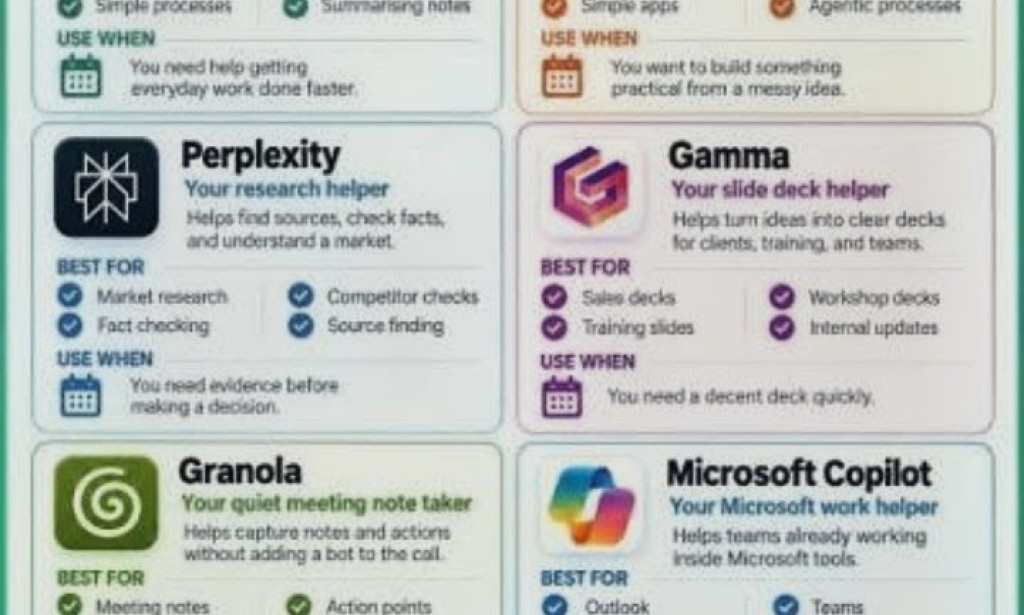
5. Perplexity — Find Information and Sources
Perplexity is an AI-powered search and answer tool that helps users explore questions and find information from online sources.
It can be useful when you want an overview of a topic and links to sources for further reading.
Practical examples:
- Research a technology topic.
- Find sources for an article.
- Compare different products.
- Explore recent developments in a particular field.
- Identify websites that may provide additional information.
For example, you could ask:
"What should beginners know before choosing a cryptocurrency wallet? Include reliable sources."
You should open and examine the sources yourself rather than trusting an AI-generated answer automatically.
Website: https://www.perplexity.ai/
Free access may have limits, and the availability of features can change.
6. DeepL — Translate and Improve Text
DeepL provides translation tools that can help users understand text written in different languages.
It also offers writing assistance for improving certain types of text.
Practical examples:
- Translate a short message into another supported language.
- Understand a foreign-language article.
- Draft a message for someone who speaks a different language.
- Compare alternative translations of a sentence.
For example, a person who receives a message in French can use a translation tool to understand its general meaning before replying.
Website: https://www.deepl.com/
The languages and features available depend on the service and account. Always review translations carefully, especially when dealing with legal, medical, or other important information.
7. Adobe Express — Create Graphics and Social Media Content
Adobe Express is a design platform that helps people create graphics, flyers, social media posts, and other visual content. It includes some AI-powered features.
It can be useful for small businesses, students, and content creators.
Practical examples:
- Create a simple advertisement for a product.
- Design a flyer for an event.
- Prepare a social media announcement.
- Make graphics for an educational page.
- Create branded visual content for a small business.
For example, a person promoting a new product could use a template to create an advertisement with a product image, a short description, and contact information.
Website: https://www.adobe.com/express/
Adobe Express offers free features, while some premium templates and tools require payment.
How to Choose the Right AI Tool
You do not need to use all seven tools. Start with the one that solves your biggest problem.
Here is a simple guide:
- For learning and writing: Try ChatGPT.
- For brainstorming and explanations: Try Google Gemini.
- For posters and social media graphics: Try Canva.
- For grammar and spelling: Try Grammarly.
- For research with sources: Try Perplexity.
- For translation: Try DeepL.
- For promotional graphics: Try Adobe Express.
Many of these tools can be used on a smartphone, although some tasks are easier on a computer.
Before signing up, check the current free-plan limits, account requirements, and privacy terms.
Can You Make Money Using Free AI Tools?
AI tools can help you perform certain tasks faster, but they do not automatically generate income.
You could use them to support services such as:
- Writing and editing articles.
- Designing posters for local businesses.
- Preparing social media content.
- Creating presentations.
- Helping people improve their writing.
- Researching topics for content creation.
For example, you could learn to design promotional posters using Canva and offer the service to local shops.
However, you would still need to develop your skills, find customers, deliver good work, and agree on a fair price. Competition exists, and earning money is not guaranteed.
Always review AI-generated content before delivering it to a customer or publishing it online. Do not copy other people's work or claim that AI-generated information has been personally verified when it has not.
Conclusion
Free AI tools can make everyday tasks easier, whether you want to study more effectively, improve your English, research a topic, or create attractive designs.
ChatGPT and Gemini can help with questions and ideas. Canva and Adobe Express can support graphic design. Grammarly can help improve writing, while Perplexity and DeepL can assist with research and translation.
The best approach is to choose one tool, learn how it works, and practise using it for a real task.
Remember that AI is an assistant, not a replacement for your own judgement. Check important information, protect your personal data, and review the terms of any free service you use.
Which of these seven AI tools would you like to try first? Share your experience or questions in the comments!


You must be logged in to post a comment.