
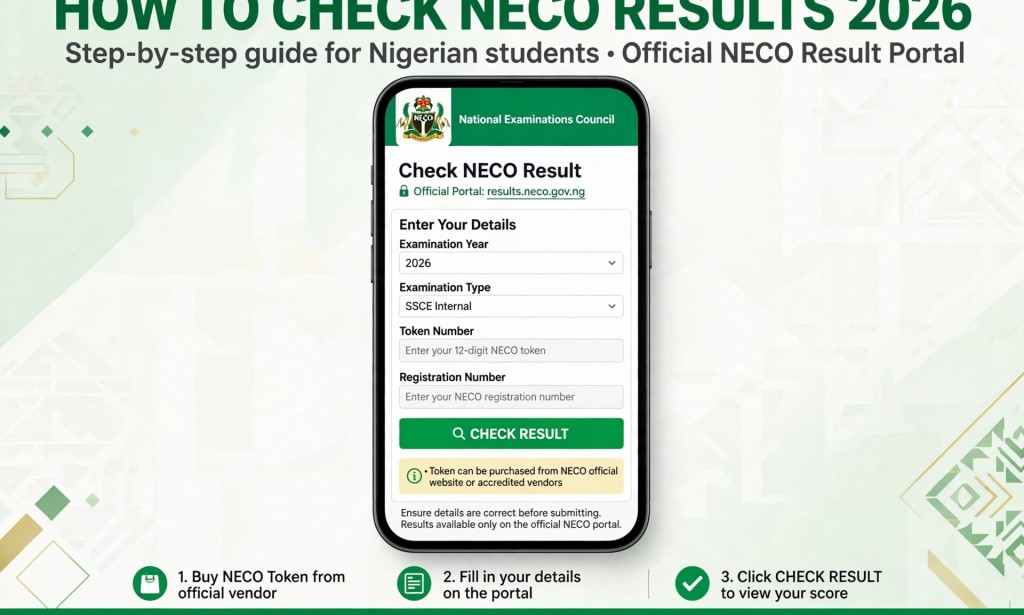
2026 NECO Result Is Out: How to Check Your Result Online
The National Examinations Council (NECO) released the 2026 Senior School Certificate Examination (SSCE Internal) results on September 24, 2026. Candidates who sat for the examination can now check their results online through the official NECO results portal.
If you are wondering how to check your NECO result using your phone, follow the simple steps below.
What You Need to Check Your NECO Result
- Your NECO examination registration number.
- A valid NECO result-checking token.
- A phone or computer with an internet connection.
You may need to purchase a token if you do not already have one. Token prices can change, so check the amount displayed on the official portal before making payment.
How to Check Your 2026 NECO Result
- Visit the official portal: Open results.neco.gov.ng.
- Select the examination year: Choose 2026.
- Select the examination type: Choose SSCE Internal (June/July) if you sat for the school-based examination. Candidates who took another examination should select the applicable examination type.
- Enter your token: Type your result-checking token into the required field.
- Enter your registration number: Carefully type your NECO examination registration number.
- Check your result: Click the result-checking button and wait for your result to appear.
You can save a screenshot or print a copy of your result for your personal records.
How to Buy a NECO Result-Checking Token
If you do not have a token, visit the official NECO results portal and select the token purchase option. Follow the instructions to complete your purchase using one of the available payment methods.
Always confirm that you are on the official website before entering payment information. Avoid paying unknown individuals who claim they can check your result for you.
How Many Times Can You Use a NECO Token?
According to NECO's published FAQ, a result-checking token can be used up to five times for the same candidate's result. If you need additional checks, consult the official portal for the applicable requirements.
What to Do If Your NECO Result Does Not Show
If your result is not displaying, try these steps:
- Confirm that your registration number and token are correct.
- Check that you selected the correct examination year and type.
- Make sure your internet connection is stable.
- Refresh the page and try again later if the portal is experiencing problems.
- If the problem continues, contact NECO through its official website for assistance.
Final Advice
The 2026 NECO SSCE Internal results were officially released on September 24, 2026. Candidates can check their results online using their registration numbers and valid tokens.
For your safety, never publish your registration number, token, password, or payment details in a public comment section. Use the official portal to access your result.
Have you checked your 2026 NECO result yet? Share your experience in the comments, but keep your personal examination details private.
Official result portal: https://results.neco.gov.ng/
Disclaimer: This article is for informational purposes. Token prices, portal instructions, and examination options may change. Confirm current details through NECO's official channels.


You must be logged in to post a comment.