
Playout App $8 PayPal Withdrawal Proof (October 2026): How to Earn Money Playing Games
Hello everyone, welcome back to Lodpost.com. It is Amica Review, and I am back with another update on the Playout app.
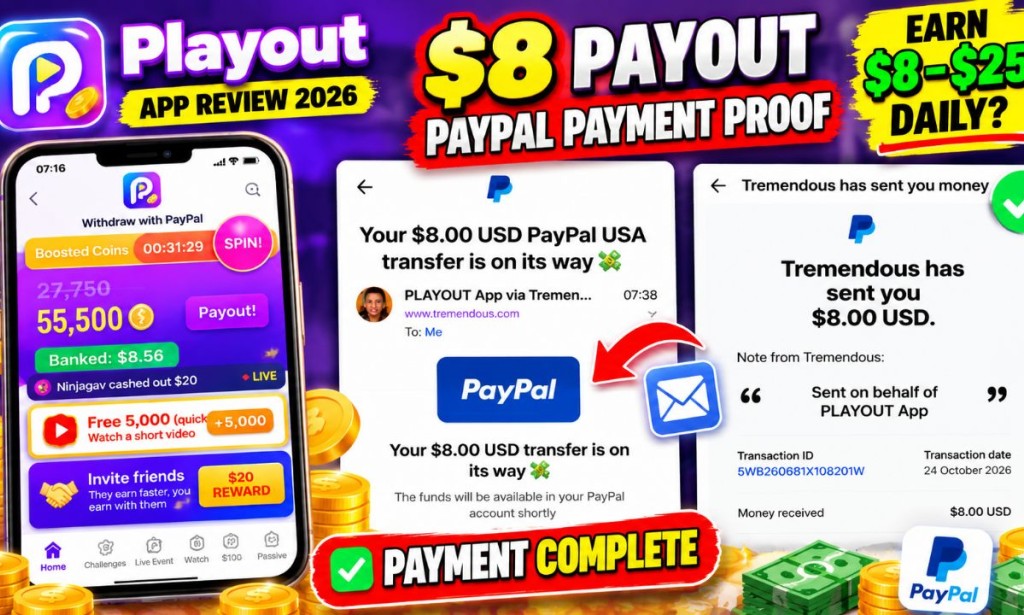
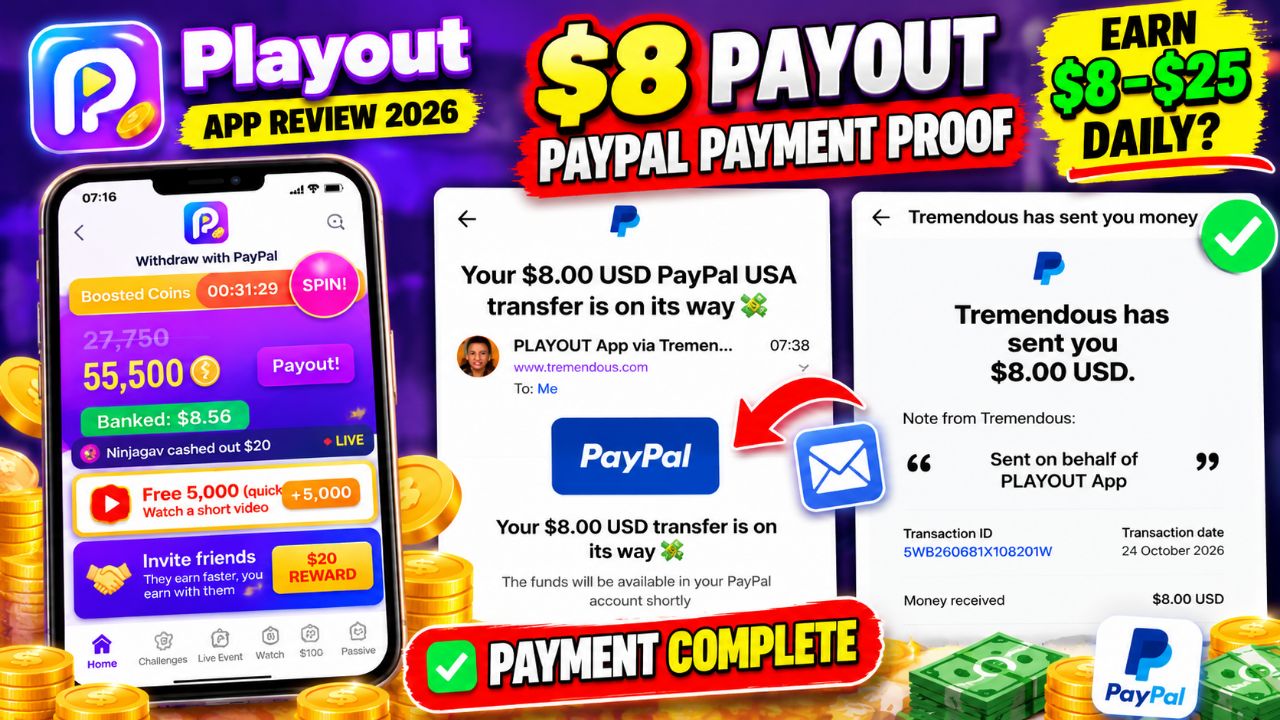
I have shared previous updates about this app, and today I want to show you my latest withdrawal experience. On October 24, 2026, I received an $8 reward notification from Playout through Tremendous, with PayPal listed as the transfer method.
In this article, I will explain how the withdrawal process works, how Playout allows users to earn rewards, how the referral program works, and what you should know before spending your time on the platform.
- Reward amount: $8.00 USD
- Platform: Playout
- Reward provider: Tremendous
- Payment method: PayPal
- Reward date: October 24, 2026
- Reward page status: Payment complete
The Tremendous reward page shows the $8 payment as complete. A separate email says the PayPal transfer is on its way. These are different stages of the process, so I recommend checking your own PayPal activity to confirm when the funds arrive.
Join me on Playout with my code AMIC-GHR and start with 2x coin bonus for 48 hours! 🥳
https://invite.sng.link/Dhazd/mz3p?psn=AMIC-GHR&psid=dc7293d8-9064-491a-a997-f2ffbc9413e8
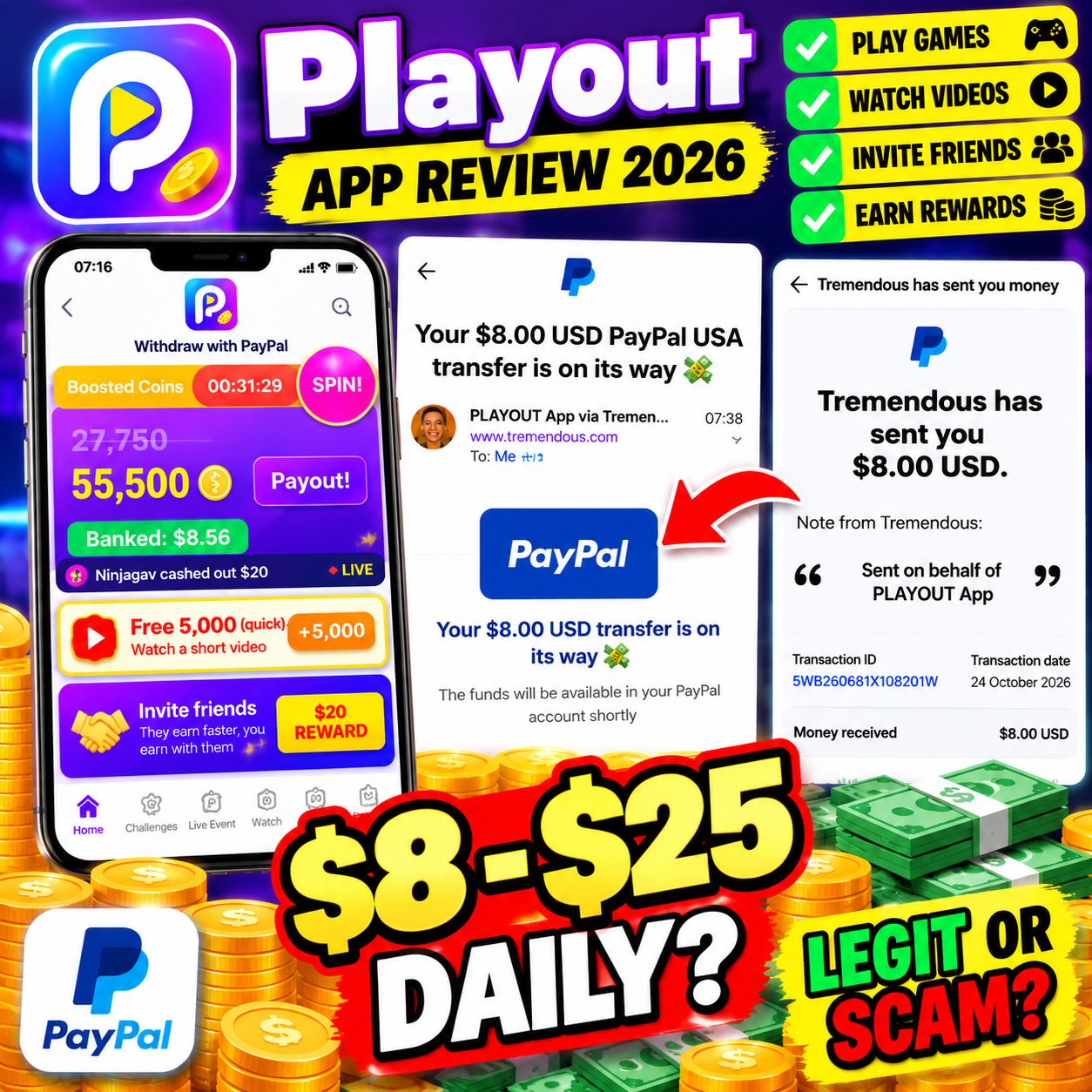
Table of Contents
- What Is the Playout App?
- My Latest $8 Withdrawal Update
- How Does Playout Work?
- Ways to Earn on Playout
- Playout Referral Program
- How to Join Playout
- Tips for Getting More Rewards
- How to Withdraw Money
- Can You Earn $8–$25 Daily?
- Is Playout Free to Use?
- Is Playout Legit or a Scam?
- Pros and Cons
- Final Verdict
1. What Is the Playout App?
Playout is a play-to-earn and get-paid-to-play mobile rewards app. It gives users access to games and other reward activities where they can accumulate coins and work toward cash rewards.
From the app interface I reviewed, Playout includes several sections, including games, challenges, live events, video tasks, a spin feature, and an invitation program. The dashboard also displays a coin balance, a banked balance, and a payout option.
One feature I find interesting is the referral system. Instead of relying only on playing games, users can invite friends and earn rewards as their referrals progress through the program's milestones.
However, the exact amount a person earns will depend on the available activities, reward rules, eligibility requirements, and referral performance. The app should not be treated as a guaranteed source of income.
2. My Latest Playout $8 PayPal Withdrawal Update
Let me talk about the main reason for this update: my latest $8 reward.
On October 24, 2026, I received an email from Tremendous stating that Playout had sent me an $8 USD reward. The message showed PayPal as the transfer method and stated that the money was on its way to my PayPal account.
I also opened the Tremendous reward page, which displayed $8.00 USD and the status Payment complete. The page stated that the reward was sent to the listed PayPal email address on October 24, 2026.
- The reward amount was $8 USD.
- The reward was associated with Playout.
- Tremendous displayed a completed payment status.
- The reward was designated for PayPal transfer.
I share these updates because I want readers to see the actual stages of the withdrawal process instead of relying only on claims made in promotional videos.
3. How Does Playout Work?
The basic idea is straightforward: join the app, explore the available reward activities, accumulate eligible coins or rewards, and use the payout option when you meet the applicable requirements.
Step 1: Register for an account
Start by using the Playout invitation link below. Follow the instructions provided by the app to complete registration and access your account.
Step 2: Explore the dashboard
After entering the app, check your coin balance, banked balance, available games, video tasks, challenges, and referral section. Read the terms of each activity before participating.
Step 3: Complete reward activities
Choose from the activities available to your account. Some tasks may award coins after you complete the required action, while referral rewards may depend on a friend's progress.
Step 4: Check your banked balance
Do not assume every coin displayed on the screen is already withdrawable cash. Check the app's payout rules and the amount shown as banked before requesting a withdrawal.
Step 5: Request your reward
When your account meets the withdrawal conditions, open the payout section and follow the instructions. If PayPal or a reward provider is offered to you, make sure the account details are correct.
Step 6: Follow the transfer
If your reward is processed through Tremendous, check the reward email and follow its instructions. Depending on the payment stage, you may need to accept or redeem the reward before the funds reach PayPal.
4. Ways to Earn on Playout
A. Playing games
Playout promotes games that users can access through the app. Rewards may depend on the game, activity, and current offer. Before spending time on a game, check the specific reward conditions and whether any tracking or eligibility requirements apply.
B. Watching videos
The dashboard I reviewed displayed a video task advertising 5,000 coins. The availability and value of such tasks can change, so check the current offer inside your own account.
C. Inviting friends
The referral section displayed an offer of up to $20 per friend through seven milestones. It also advertised a 2x earnings bonus for a friend's first 48 hours.
These are promotional terms shown in the app. They should not be interpreted as an automatic $20 payment for every person who registers. A referral may need to complete specified milestones before rewards become available.
D. Spin rewards
The dashboard includes a Spin feature. Check the current rules to understand whether spins are free, how often they can be used, and what rewards are available.
E. Challenges and events
The app also displays challenges and live events. These may provide additional opportunities to earn rewards, depending on the current event rules and your eligibility.
F. Other activities
Playout's interface includes additional earning-related sections. Not every feature will necessarily be available to every user, and some sections may require meeting certain conditions before they can be accessed.
5. Playout Referral Program: Earn Through Invitations
One part of Playout I pay attention to is its referral system. My referral screen displayed a potential reward of up to $20 per friend through seven milestones.
The same screen showed a 2x earnings bonus for 48 hours for a new friend. It also displayed the number of qualified friends and a coin boost.
The key point is that referral earnings may depend on what your invited friends actually do in the app. Registration alone should not be assumed to unlock the full advertised reward.
- Invite code: AMIC-GHR
- Advertised referral reward: Up to $20 per friend through seven milestones
- New-user promotion: 2x earnings for 48 hours, as advertised in the app
If you decide to join, use my invitation link and check that the referral code AMIC-GHR has been applied where required. Read the terms of the bonus before starting your activities.
6. How to Join Playout Using My Referral Link
- Open my Playout referral link.
- Follow the instructions to open or install the official Playout app.
- Complete the registration process shown in the app.
- Enter the invite code AMIC-GHR if the app asks you to enter a code manually.
- Check whether the advertised 2x bonus for 48 hours is reflected in your account or offer details.
- Explore the dashboard and read the conditions for each earning activity.
Only download the app from a trusted source linked through the official invitation flow or a verified app-store listing. Avoid unofficial APK websites that ask you to disable security protections or provide unnecessary personal information.
7. Tips for Getting More Rewards on Playout
Focus on activities with clear conditions
Before completing a task, check how many coins it offers, what you must do, and whether there are restrictions. A large advertised coin amount does not automatically mean a large cash payment.
Check your referral progress
If you use the referral program, monitor the progress of your invited friends and review the milestones. This helps you understand whether a reward is pending, earned, or still dependent on additional activity.
Make use of available bonuses
When the app offers a bonus, check its start and end time. My invitation screen advertised a 2x earnings bonus for the first 48 hours, but users should confirm that the promotion applies to their own registration.
Keep records of withdrawals
Save your reward emails and transaction details. Keep a record of the amount, date, reward provider, and final status in PayPal. This makes it easier to distinguish a pending transfer from money that has actually arrived.
Don't spend money just to chase rewards
I recommend starting cautiously and avoiding unnecessary spending. Never borrow money or pay an unaffordable fee based on the expectation that an earning app will generate a particular amount.
8. How to Withdraw Money from Playout
The screenshots from my latest update show a reward processed through Tremendous, with PayPal as the transfer method. Here is the general process based on the screens I reviewed.
- Check your balance: Open Playout and review the banked balance and payout section.
- Check eligibility: Make sure you meet the app's current withdrawal conditions.
- Open the payout option: Select the available payout method and follow the instructions.
- Check your email: Look for the reward message from Tremendous if your withdrawal is processed through that provider.
- Open the reward page: Verify the amount and read the instructions provided.
- Complete any required redemption: If prompted, accept or redeem the reward using the legitimate reward page.
- Check PayPal: Review your PayPal activity to confirm when the money arrives.
9. Can You Earn $8–$25 Daily with Playout?
Based on my own experience with the app and my use of referrals, I see potential for rewards to accumulate. My personal earning experience has led me to discuss a possible range of $8–$25 in a day.
However, I cannot promise that every user will earn that amount daily. Actual results can vary according to referral activity, available tasks, the time invested, eligibility, and the app's reward conditions.
My $8 withdrawal update shows an $8 reward processed through Tremendous for Playout. It does not, by itself, prove that $8–$25 can be earned every day or that the same results are available to all users.
10. Is Playout Free to Use? Is a Deposit Required?
Playout is presented as a rewards app where users can start with games, videos, and referrals. The screens I reviewed do not show a requirement to make a deposit before using these features.
I would therefore start with the free activities and carefully read the terms. I have not verified every feature or account condition, so I cannot guarantee that no paid offers or optional purchases exist anywhere in the app.
Safety tip: Do not pay someone who claims they can guarantee your earnings or unlock a withdrawal outside the app's official process.
11. Is Playout Legit or a Scam?
My assessment is based on the app interface and the withdrawal evidence shown in this update. The screenshots include a Tremendous reward message naming Playout, an $8 reward amount, a reward page marked “Payment complete,” and a separate message stating that the PayPal transfer is on its way.
These details are useful evidence of a reward being processed. However, they do not independently verify every aspect of the app or guarantee that every user will receive the same results.
Positive signs
- The reward email identifies Playout as the party on whose behalf the reward was sent.
- The amount displayed in the reward email is $8 USD.
- The Tremendous reward page displays a completed payment status.
- The app provides visible earning and referral sections.
Points to check
- Confirm that a reward reaches your own payment account.
- Read the conditions attached to referral milestones.
- Check the current withdrawal threshold and processing terms.
- Do not treat promotional earning figures as guaranteed income.
- Protect your account details and avoid unofficial downloads.
My conclusion is that the evidence supports reporting an $8 Playout reward processed through Tremendous, but it is not enough on its own to certify the entire platform as risk-free. Users should test it carefully and keep their own records.
12. Pros and Cons of Playout
| Pros | Cons and limitations |
|---|---|
| Offers games and other reward activities | Rewards depend on task and eligibility conditions |
| Includes a referral program | Full referral rewards may require milestones |
| My update includes an $8 Tremendous reward record | The email alone does not prove the transfer has cleared in PayPal |
| The app displays balances and payout options | Earnings and processing times are not guaranteed |
| Users can explore the available free activities | Actual earning potential varies from user to user |
Follow Amica Review for More Updates
I continue to share website reviews, app updates, withdrawal evidence, and online earning tips. You can follow the Amica Review WhatsApp Channel to keep up with new posts and opportunities.
👉 Follow the Amica Review WhatsApp Channel
14. Final Verdict: My Latest Playout Update
That is my latest Playout app update for October 24, 2026. The main highlight is the $8 USD reward associated with Playout and processed through Tremendous. The reward page displays “Payment complete,” while the email says the PayPal transfer is on its way.
Playout offers games, video tasks, challenges, spins, and a referral program. For users interested in trying a play-to-earn app, these are the features I would explore first, starting with the available free activities.
My personal experience suggests that rewards can accumulate, especially when referrals are involved, but I would not promise a fixed daily income. Results vary, and it is important to confirm withdrawals in your own payment account.
If you want to try Playout, you can use my invitation link and code below.
Invite code: AMIC-GHR
Join Playout and Check the 2x Bonus
Disclaimer: This article shares my experience and observations for informational purposes. App features, promotional offers, eligibility, rewards, and withdrawal conditions may change. Earnings are not guaranteed. Always check the current terms and confirm payment in your own account.


You must be logged in to post a comment.