

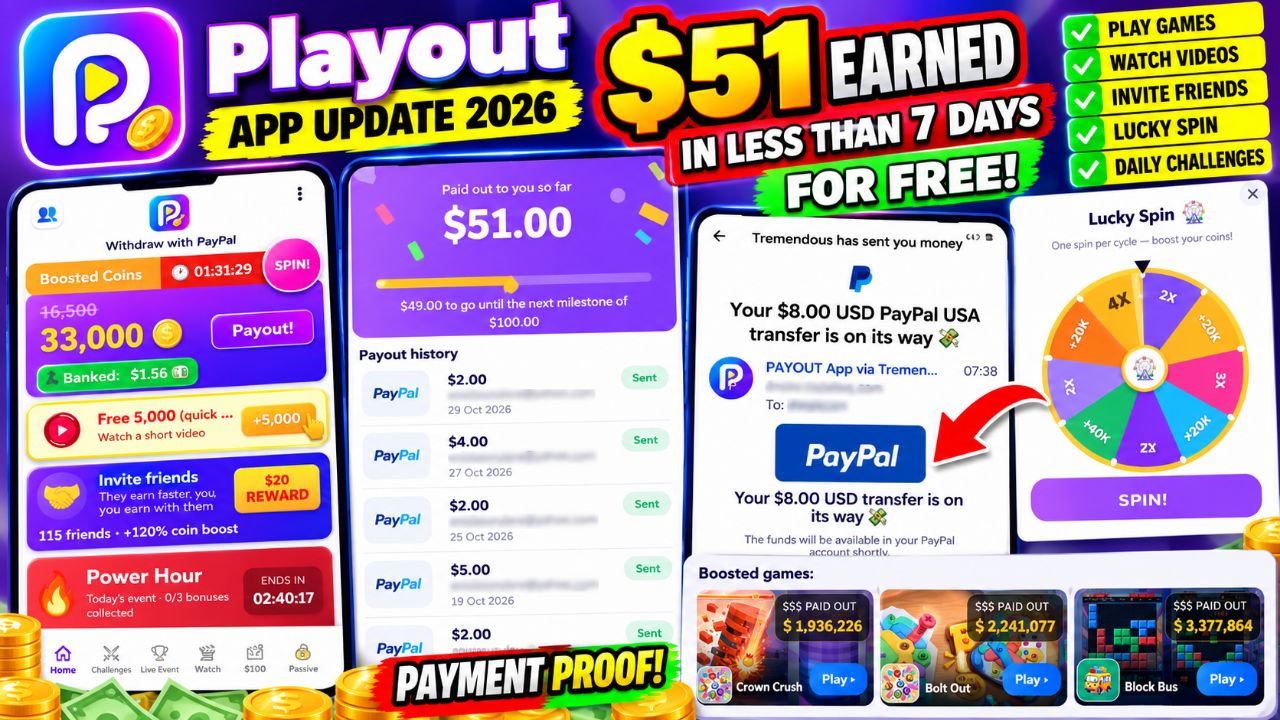
Playout App Update: How I Reached $51 in Rewards Through Games and Referrals – My Free Play-to-Earn Experience
Hello everyone, welcome back to another update from Amica Review! I hope you are doing well. If this is your first time reading my articles, you are welcome. I share my experiences testing online earning platforms, mobile applications, and different ways people can make money online.
Today, I want to share another interesting update about Playout, a mobile play-to-earn rewards app. Since I started using and reviewing this application, I have continued exploring its games, referral system, daily bonuses, video rewards, challenges, and withdrawal options.
Join me on Playout with my code AMIC-GHR and start with 2x coin bonus for 48 hours! 🥳
https://invite.sng.link/Dhazd/mz3p?psn=AMIC-GHR&psid=dc7293d8-9064-491a-a997-f2ffbc9413e8
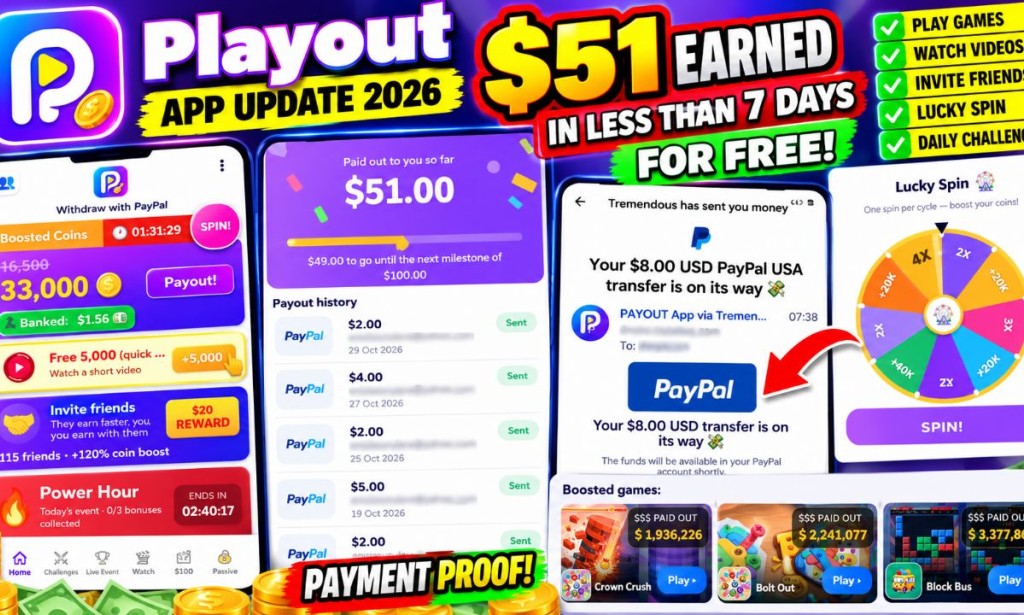
My latest update is exciting because the Playout dashboard now displays $51.00 paid out so far. I am going to explain how the app works, the strategies I use, how I invite friends, how the rewards are collected, and how beginners can get started without making an upfront deposit.
If you enjoy this type of review, please take a moment to follow my profile here on Lodpost.com. Click the Follow button on my profile so you can receive updates whenever I publish a new article. You can also like this post and leave a comment sharing your experience or questions. I enjoy reading your feedback!
Table of Contents
- What Is Playout App?
- My Latest $51 Earnings Update
- Understanding the Playout Payout History
- How Playout Works
- My Strategies for Earning More Rewards
- How the Lucky Spin Works
- How to Earn Through Games and Challenges
- How the Referral Program Works
- How to Register With My Referral Code
- How to Withdraw Your Playout Earnings
- Is Playout Free or Does It Require Investment?
- Can You Really Earn $8–$25 Daily?
- My Honest Opinion: Is Playout Legit or a Scam?
- My Final Advice to Beginners
1. What Is Playout App?
Playout is a mobile rewards application that gives users opportunities to collect loyalty coins and rewards through supported mobile games, promotional activities, videos, challenges, and referrals.
It belongs to the get-paid-to-play category, commonly known as GPT or play-to-earn applications. The idea is straightforward: users participate in activities available inside the application, accumulate rewards, and work towards the required payout threshold.
One thing I like about the structure is that Playout does not depend on only one earning activity. There are several sections to explore, including:
- Playing supported mobile games.
- Completing game-level challenges.
- Watching short promotional videos for coins.
- Using the Lucky Spin feature.
- Inviting friends through a referral code.
- Participating in limited-time events such as Power Hour.
The app also displays a banked dollar balance and a loyalty coin balance. These are important because the coins and the amount already banked are not necessarily the same thing. You need to understand how the conversion and payout system works before expecting to withdraw.
2. My Latest $51 Earnings Update
Let me get straight to the main update. When I opened my Playout payout section, I found a cumulative amount of:
PAID OUT TO YOU SO FAR
$51.00
$49.00 remaining to reach the next $100 milestone
This is the amount currently displayed by my Playout payout dashboard. Reaching this milestone is encouraging because it shows how the rewards can accumulate when I remain active and use the available earning opportunities.
I have also shared earlier updates showing individual reward notifications, including a $8 reward processed through Tremendous for PayPal. This latest dashboard update gives a broader view of the rewards recorded by Playout.
Important: The $51 figure is the app's displayed cumulative paid-out amount. It should not automatically be interpreted as a screenshot of $51 already cleared in one PayPal transaction. The payout history uses a "Sent" status, and Playout explains that users must accept the reward email before the reward is theirs.
3. Understanding My Playout Payout History
One of the useful things about Playout is that it provides a payout history section. Instead of only showing a general balance, it lists individual reward entries, their amounts, dates, and status.
In the payout history visible in my latest update, I can see entries including:
| Reward | Date shown | Status |
|---|---|---|
| $2.00 | October 29, 2026 | Sent |
| $4.00 | October 27, 2026 | Sent |
| $2.00 | October 25, 2026 | Sent |
| $2.00 | October 21, 2026 | Sent |
| $5.00 | October 19, 2026 | Sent |
| $2.00 | October 18, 2026 | Sent |
| $4.00 | October 17, 2026 | Sent |
| $2.00 | October 14, 2026 | Sent |
| $3.00 | October 13, 2026 | Sent |
The visible entries are only part of the payout history shown in the app; the dashboard's cumulative figure is $51.00.
Playout includes an explanation beneath the history: "Sent means a mail with your gift card is already in your inbox — accept it and the reward is yours." Therefore, whenever a reward is marked Sent, I recommend checking your email, including the spam and promotions folders, and completing the acceptance process.
4. How Playout Works
When you first open Playout, you arrive at its main dashboard. The dashboard gives you access to the coin balance, banked amount, payout button, boosted coin timer, Lucky Spin, video rewards, referrals, events, and game offers.
Here is how I understand the main earning process:
- Create an account: Register through the app and complete the required account setup.
- Explore the dashboard: Check your coin balance, banked balance, and available activities.
- Choose earning activities: Open supported games, watch available videos, complete challenges, or use the referral feature.
- Collect rewards: Complete the stated requirements and allow the app to credit eligible rewards.
- Reach the payout threshold: Build enough eligible balance for the available payout option.
- Request your payout: Follow the payout instructions shown in your account.
- Accept the reward: If Playout sends a Tremendous reward email, open it and complete the acceptance or redemption steps.
Do not assume that every activity credits instantly. Some offers have conditions, tracking requirements, or a waiting period. Always read the requirements before starting a game or challenge.
5. My Strategies for Earning More Rewards
Now let me talk about the approach I have been using. I do not believe that simply downloading an earning app is enough. You need to understand its features and use your time wisely.
My strategy has focused strongly on referrals, while I also explore the other earning features available inside the app. I do not want beginners to think that every reward shown on my account came from one particular activity. The screenshots do not provide a complete breakdown of the $51 by earning source.
Strategy 1: Make Referrals a Priority
The referral section is one of the features I pay attention to. I share my invitation link with people who are genuinely interested in trying the app. When they register and complete qualifying activities, the app may unlock referral milestones and rewards according to its conditions.
My advice is to explain how the application works instead of simply sending a link and promising people money. Let them understand that they may need to play games, watch videos, and complete requirements before referral rewards become available.
Strategy 2: Check the Boosted Coins Timer
My dashboard displays a Boosted Coins section with a countdown timer. This is important because the app can show a boosted earning period. In my earlier referral invitation screen, Playout advertised a 2x earnings bonus for a friend's first 48 hours.
When a boost is available, check which activities qualify and how long the boost lasts. Try to use the available period wisely rather than wasting it.
Strategy 3: Watch Available Reward Videos
The dashboard includes a video reward offer showing Free 5,000 coins for watching a short video. This is a simple activity to check when it is available.
However, do not assume that the same video reward will always be available or that every account will receive identical offers. The availability and reward conditions may change.
Strategy 4: Use the Events and Challenges
Playout displays limited-time events such as Power Hour. In my screenshot, the event lists three tasks:
| Challenge | Displayed reward |
|---|---|
| Finish 4 levels in any game | +4,000 coins |
| Finish 15 levels in any game | +16,000 coins |
| Finish 70 levels in any game | +148,000 coins |
These are the rewards displayed in the event screenshot, not a guarantee that every user will complete the tasks or receive the same offers. I recommend checking the event timer and reading each task carefully before spending time on it.
6. How the Lucky Spin Works
Another feature I found on the dashboard is Lucky Spin. The screen says "One spin per cycle — boost your coins!"
The wheel displays different possible outcomes, including coin multipliers such as 2x, 3x and 4x, as well as additional coin rewards such as +20K and +40K. The actual result depends on where the wheel stops.
My suggestion is to check the spin feature whenever a new cycle becomes available. It can be another way to increase your coin balance, but remember that the wheel is based on chance. Do not build your earning expectations around always landing on the highest reward.
7. How to Earn Through Games and Challenges
Playout has a section called Boosted Games. My dashboard displays titles such as:
- Crown Crush
- Bolt Out
- Block Bus
These are examples of games visible in my account. Each game may have its own requirements, level targets, and reward conditions. The app encourages users to open supported games and make progress toward the available goals.
Before installing or playing a game through Playout, I recommend checking the offer details. Pay attention to the required level, time limit, eligibility rules, and whether the game must be newly installed through the offer link. If you already have the game installed, some offers may not track correctly.
Also, keep screenshots of important offer conditions and completed milestones. If a reward does not appear, having records can help when contacting support.
8. How the Playout Referral Program Works
This is one of the sections I find particularly interesting. Playout displays an invitation promotion advertising up to $20 per friend through seven milestones. The invitation screen also advertises a 2x earnings bonus for the friend's first 48 hours.
The referral area shows the progress of invited friends and the milestones they have reached. One of the screenshots displays a friend who had earned $0.38 since joining, with $1.62 remaining until the $2 milestone.
The milestone screen also shows examples of rewards for the inviter:
- When a friend joins with your code, the displayed reward is +5,000 coins.
- When the friend watches a first video, the displayed reward is +10,000 coins.
- Further milestones depend on the friend's qualifying earnings and activity.
The referral screen shows additional milestone rewards, including amounts that become available when a friend reaches certain earning targets. Some milestones are locked until the friend completes the required conditions.
Another dashboard screenshot displays 115 friends and a +120% coin boost. This is the referral-related progress shown in my account at the time of the screenshot. It should not be interpreted as a guaranteed result for every new user.
My advice is to focus on inviting people who are likely to use the app. Explain the activities and conditions to them, and encourage them to complete the qualifying milestones. Do not promise that every person who joins will immediately generate the maximum referral reward.
9. How to Register With My Playout Referral Code
If you want to test Playout, you can join through my invitation link below. My referral code is AMIC-GHR.
Join Playout With My Referral Code
AMIC-GHR
Advertised new-user offer: 2x coin bonus for 48 hours
Here is the simple registration process:
- Click my Playout invitation link above.
- Allow the link to open the Playout app or its official app installation page.
- If you are a new user, install the application from the official source presented to you.
- Open the app and follow the registration instructions.
- Make sure my referral code AMIC-GHR is applied if the registration process asks for an invitation code.
- Open your dashboard and explore the available earning activities.
- Check whether the advertised 2x bonus has been applied to your account and note when the 48-hour period begins.
My invitation link:
https://invite.sng.link/Dhazd/mz3p?psn=AMIC-GHR
Please remember that referral offers can change. Check the terms shown inside the app when you register.
10. How to Withdraw Your Playout Earnings
Playout displays PayPal as a withdrawal option, alongside Amazon and Google Play gift card options in the payout screen shown in my account. The available options may depend on the user's location and account eligibility.
In one of my screenshots, the app displays 33,000 coins and a banked balance of $1.56. The payout panel also explains that payouts go out in round amounts and that I needed another $0.44 to reach $2.00.
This means the amount of coins displayed and the banked dollar balance should not be confused. You need to follow the app's conversion rules and reach the required amount before requesting a payout.
My general withdrawal steps
- Open Playout and check your banked balance.
- Tap the Payout button when it becomes available.
- Review the available payout methods.
- Select PayPal if it is available for your account.
- Enter or confirm the required payment details carefully.
- Submit the payout request and wait for the app's processing instructions.
- Check the email address connected to your reward account.
- If the reward is delivered through Tremendous, open the email and follow the acceptance or redemption instructions.
- Check your PayPal account to confirm when the transfer has arrived.
Important withdrawal note: A Playout history entry marked Sent is not necessarily the same as a completed PayPal deposit. The app says the reward email has been sent and must be accepted. Always complete that step and verify the money in your PayPal account.
11. Is Playout Free or Does It Require Investment?
Based on the earning features visible in my account, Playout provides activities such as games, video rewards, challenges, Lucky Spin, and referrals. I have been using these features without making an upfront deposit for the activities described in this article.
I have not seen an investment requirement in the screenshots provided for this update. However, users should always review the current terms and avoid paying anyone who claims they can unlock guaranteed earnings or withdrawals outside the official app.
You should also remember that free does not mean effortless. You may need to spend time playing games, watching videos, completing tasks, and inviting friends. Your results will depend on the offers available to your account and whether you complete their requirements.
12. Can You Really Earn $8–$25 Daily?
In my earlier Playout updates, I discussed the possibility of earning around $8–$25 daily based on my personal experience and the opportunities I was exploring. I want to be clear that this is not a guaranteed daily income or an official fixed payment rate from Playout.
My own results should not be used as a promise that every new member will earn the same amount. Some users may have more referral activity, different game offers, or different opportunities depending on their accounts and locations.
The $51 paid-out counter shown in my latest screenshot is my current account milestone. It demonstrates what my dashboard displays, but it does not prove that everyone can reproduce the same result in the same amount of time.
If you are starting, I recommend setting a realistic target, learning the app first, and keeping track of the time you spend. Do not depend on an earning app as your only source of income.
13. Is Playout Legit or a Scam?
This is a question I always consider when reviewing an earning platform. I do not want to tell readers that an app is legitimate simply because it has an attractive dashboard or displays large earning figures.
In my Playout experience, there are some encouraging signs:
- Positive sign: The app displays an individual payout history with amounts, dates, and statuses.
- Positive sign: My account displays a cumulative paid-out figure of $51.00.
- Positive sign: I have received Tremendous reward notifications connected to Playout in earlier updates.
- Positive sign: The app provides visible explanations about reward acceptance and payout processing.
- Caution: A Sent status means the reward email has been sent; users still need to accept the reward.
- Caution: Referral rewards depend on friends completing the required milestones.
- Caution: Game offers and earning rates can vary, and daily earnings are not guaranteed.
My current assessment is that Playout has provided encouraging reward and payout records in my own account. However, I would not use my experience alone to guarantee that every user will receive the same results. New users should test the app carefully, keep their own records, and confirm each payment in the selected payment account.
14. My Final Advice to Beginners
If you are new to Playout, do not rush. Start by understanding the dashboard. Learn the difference between loyalty coins, banked balance, payout eligibility, and rewards that are still waiting to be accepted.
Explore the free video offers and challenges. Check the boosted games and Lucky Spin when available. If you want to use referrals, share your invitation link with people who are genuinely interested in the application. Most importantly, read the conditions attached to every activity.
I also recommend keeping a simple record of your activity. Write down when you started an offer, what it required, when you completed it, and whether the reward appeared. This will help you identify which activities are worthwhile and make it easier to report missing rewards.
Do not spend money or share sensitive account information with strangers who promise to increase your Playout balance. Use the official application and its stated support channels for account or payout problems.
My Final Thoughts: My Playout Journey Continues
That is my latest Playout update. I started reviewing this application to understand whether its play-to-earn system was worth exploring, and I have continued testing its features and sharing my experience with readers.
My dashboard now displays $51.00 paid out so far, with $49 remaining to reach the next $100 milestone. I am also continuing to explore referrals, game challenges, video rewards, boosted coins, and the other features available inside the app.
I will keep sharing updates as I make progress. If you have already joined Playout, let me know in the comments: Have you received a reward? Which earning activity works best for you? Have you tried the referral program?
Don't forget to follow my Lodpost profile. Click the Follow button, like this article, and leave a comment. Your support encourages me to keep publishing practical reviews and updates.
Thank you for reading. This is Amica Review, and I'll see you in my next update!
Disclaimer: This article shares my personal experience and the information visible in my Playout account. Earnings are not guaranteed and may vary. Reward availability, referral conditions, and payout processing can change. Always read the app's current terms and verify that rewards have arrived in your payment account.


You must be logged in to post a comment.