
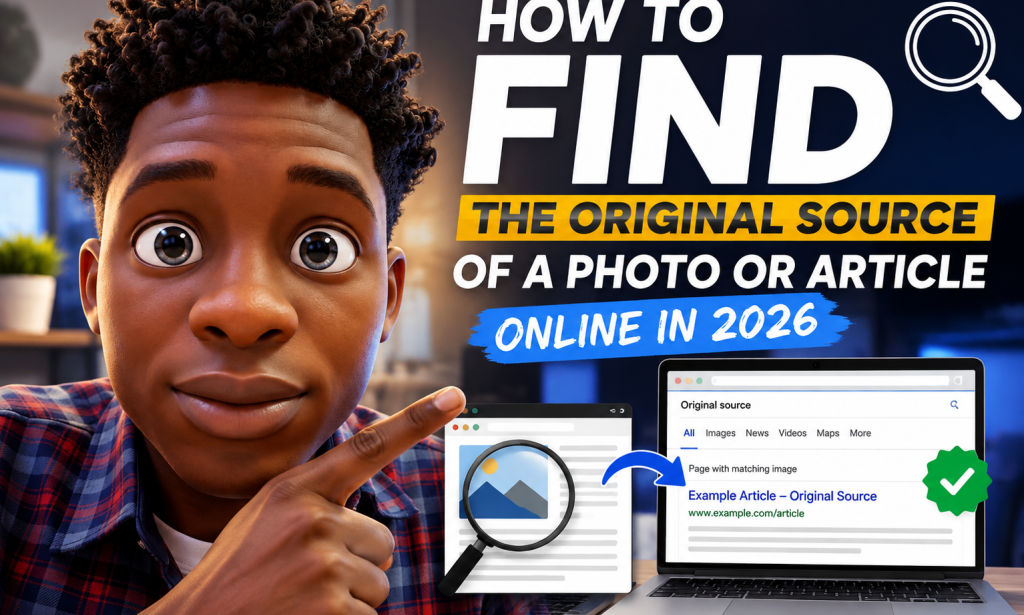
How to Find the Original Source of a Photo or Article Online in 2026
A Complete Step-by-Step Guide to Tracing Photos, Stories, Quotes, and Online Information
The internet contains an enormous amount of information.
Every day, people publish photographs, articles, videos, reviews, news reports, social-media posts, research, tutorials, quotes, and personal stories.
The problem is that online information rarely stays in one place.
A photograph published by one person can be downloaded and reposted hundreds of times. An article can be copied to another website within hours. A quote can be removed from its original context and shared without attribution. A social-media post can become a screenshot that is reposted so many times that nobody remembers where it started.
This creates a simple but important question:
Where did this actually come from?
Knowing how to find the original source is useful for almost everyone.
You might want to verify a photograph before sharing it.
You might want to find the original author of an article.
You might want to check whether a viral claim is based on a real report.
You might want to discover the original photographer behind an image.
You might want to determine whether a quote has been taken out of context.
Or you may simply want to read the complete version of something you found copied elsewhere.
The good news is that you don't need advanced technical knowledge to investigate online content.
With the right search techniques and a little patience, you can often trace content through several websites until you find an earlier, more authoritative, or original source.
This guide explains exactly how to do it.
Why Finding the Original Source Matters
Before learning the techniques, it helps to understand why source tracing is important.
Imagine that you see an interesting photograph on social media.
The caption says:
"This photograph was taken yesterday."
You share it with your friends.
Later, you discover that the photograph was actually taken five years ago.
The image itself may be real, but the context was false.
This happens constantly online.
The same problem occurs with articles.
Someone may publish a story based on another website. Another website copies it. A third website rewrites it. Someone then posts a screenshot of the third website on social media.
By the time you see it, the original source may be almost impossible to recognize.
That is why tracing information backward can be extremely valuable.
What Does "Original Source" Actually Mean?
There isn't always one simple definition.
When people say "original source," they may mean different things.
It could mean:
-
The person who originally created a photograph
-
The first website that published an article
-
The original author of a story
-
The organization that released a report
-
The first person to make a particular statement
-
The official government or company source
-
The earliest known version of a piece of content
These aren't always the same thing.
For example, a newspaper might publish an article about a government announcement.
The newspaper isn't necessarily the original source.
The government department may have published the announcement first.
Likewise, a news website may publish a photograph but not own the photograph.
The photographer could be the original creator.
Therefore, the goal isn't always to find the first website you can locate.
The goal is to determine where the information, image, or claim actually originated.
Step 1: Save the Content You Want to Investigate
When you find something suspicious or interesting, preserve it before searching.
For an image, save the image to your device if possible.
For an article, copy:
-
Title
-
Author
-
Website name
-
Publication date
-
A distinctive sentence
-
Any visible source information
For a social-media post, record:
-
Username
-
Post date
-
Caption
-
URL
-
Screenshots if appropriate
Why do this?
Because online content can change.
An article may be edited.
A social-media post may disappear.
A website may update its headline.
A photograph may be replaced.
Having the original version you encountered gives you something to compare later.
Step 2: Start With a Distinctive Phrase
If you're investigating an article, don't immediately search the entire headline.
Instead, choose a distinctive sentence or phrase.
For example, imagine an article contains:
"The new program will allow small businesses to access training from more than 50 locations."
Search the exact phrase in quotation marks.
Search engines may show other websites containing the same wording.
This can help you identify:
-
Earlier versions
-
Copying websites
-
Syndicated articles
-
Original publications
-
Rewritten versions
The more distinctive the sentence, the better.
Step 3: Use Quotation Marks in Search
Quotation marks can be extremely useful.
Instead of searching:
small businesses access training 50 locations
search:
"small businesses to access training from more than 50 locations"
This tells the search engine that you're looking for that specific sequence of words.
Try several different sentences from the article.
One may lead directly to the original source.
Step 4: Search the Headline
Copy the exact headline and search it.
Then try variations.
For example:
"How to Save Money on Electricity"
Then:
How to Save Money on Electricity
Then search part of the headline.
You may discover several versions.
Compare:
-
Publication dates
-
Authors
-
Website domains
-
Article length
-
Images
-
References
-
Wording
The earliest version may be closer to the original.
But don't automatically assume the oldest search result is the creator.
Step 5: Compare Publication Dates
Dates are one of the most useful clues when tracing online content.
Suppose you find five versions of the same article:
| Website | Date |
|---|---|
| Website A | January 5 |
| Website B | January 8 |
| Website C | January 12 |
| Website D | January 15 |
| Website E | January 20 |
Website A may have published first.
But there is an important complication.
A website can change its publication date.
Some pages also display:
-
Originally published
-
Updated
-
Modified
-
Republished
-
Last reviewed
Therefore, don't rely on one date alone.
Look for additional evidence.
Step 6: Check the Author
If the article lists an author, investigate that person.
Search:
"Author Name" + article title
Then search:
"Author Name" + website
You may discover:
-
The author's profile
-
Other versions of the article
-
Their personal website
-
Their professional profile
-
Earlier publications
This can help determine whether the person actually wrote the article or whether another website copied it.
Step 7: Search a Sentence From the Beginning of the Article
The introduction is often particularly useful.
Copy one or two distinctive sentences from the first few paragraphs.
Search them in quotation marks.
If the exact wording appears elsewhere, compare the dates.
You may discover that:
-
One site copied another.
-
Several sites copied the same source.
-
A press release was reproduced.
-
A journalist rewrote an official announcement.
-
An old article was republished.
This technique is simple but surprisingly effective.
Step 8: Search the Ending of the Article
Don't only search the introduction.
Sometimes websites heavily rewrite the beginning but leave the conclusion almost unchanged.
Take a distinctive sentence from near the end.
Search it.
You may find an earlier version.
This can be especially useful when investigating rewritten articles.
Step 9: Look for Attribution
Pay attention to phrases such as:
-
According to...
-
Originally published by...
-
Source:
-
Photo by...
-
Image courtesy of...
-
Reported by...
-
Via...
-
Credit:
-
Reprinted from...
-
Based on a report from...
These clues can point toward the original source.
However, attribution isn't always accurate.
Someone may incorrectly credit another website.
So treat attribution as a clue rather than final proof.
Step 10: Trace the Source One Level Further
Suppose Website A says:
"According to Website B..."
Don't stop there.
Visit Website B.
Then ask:
Where did Website B get the information?
Maybe Website B says:
"According to a government report..."
Now find the report.
This process is called source tracing.
You are essentially moving backward through the information chain.
Step 11: Follow the Citation Trail
Articles often contain links to:
-
Research papers
-
Government documents
-
Company announcements
-
Court documents
-
Interviews
-
Statistics
-
Reports
-
Studies
Open those links.
Read the original document when possible.
A blog post saying:
"A recent study found..."
is less useful than finding the study itself.
The original document gives you an opportunity to see:
-
Who produced it
-
When it was published
-
What was actually studied
-
What the researchers said
-
Whether the article accurately summarized it
Step 12: Check the Original Organization
If an article discusses a government policy, search for the relevant government department.
If it discusses a company's product announcement, check the company's official website.
If it discusses a scientific paper, find the actual paper.
If it discusses a court decision, look for the official court record or reliable legal reporting.
If it discusses a product recall, check the relevant regulator or manufacturer.
The closer you get to the organization that actually produced the information, the stronger your source becomes.
Step 13: Use Reverse Image Search
Now let's move to photographs.
Reverse-image search allows you to search using an image rather than words.
You upload an image or provide an image URL, and the service searches for visually similar or matching images across the web.
This can reveal:
-
Earlier versions of an image
-
Websites using the same image
-
Different captions
-
Original photographers
-
News reports
-
Stock-photo pages
-
Social-media posts
This is one of the most useful techniques for tracing photographs.
Step 14: Search the Entire Image First
Start by uploading the full image.
See what results appear.
Don't immediately crop it.
You may discover an exact match.
If you do, examine the results carefully.
Look at:
-
Dates
-
Website reputation
-
Captions
-
Photographer credits
-
Context
-
Image dimensions
Step 15: Crop the Image and Search Again
Sometimes the full image produces poor results.
Try cropping a distinctive part of the photograph.
For example:
-
A person's face
-
A building
-
A logo
-
A product
-
A sign
-
A landscape
-
A distinctive object
Then perform another reverse-image search.
Different crops can produce different results.
Step 16: Search the Image Without Text Overlays
If the image contains:
-
Memes
-
Captions
-
Watermarks
-
Social-media usernames
-
Large text
crop them out if possible.
The visual portion may match the original photograph more effectively.
This is particularly useful when someone has added a large caption to an original image.
Step 17: Pay Attention to Image Dimensions
Image dimensions can provide clues.
Suppose you find:
1200 × 800
on one website and:
600 × 400
on another.
The larger version may have been uploaded first.
But this isn't proof.
A website may simply resize or optimize images differently.
Still, image dimensions can help when combined with publication dates and other evidence.
Step 18: Look for Photographer Credits
Professional photographs often contain credit information.
Look for:
-
Photographer name
-
Agency
-
News organization
-
Stock-photo company
-
Copyright notice
-
Portfolio link
If you find the photographer's name, search it together with the image subject.
For example:
Photographer Name + location
or:
Photographer Name + event
This may reveal the original portfolio or assignment.
Step 19: Don't Assume the First Image Result Is Original
Reverse-image search results are not necessarily arranged in strict chronological order.
The first result might be:
-
A popular social-media post
-
A large website
-
A recent article
-
A website with strong search visibility
The original creator might appear much lower.
Always inspect multiple results.
Step 20: Check Image Metadata When Available
Some original files contain metadata.
This can sometimes include:
-
Camera model
-
Date
-
Software
-
Location
-
Copyright information
-
Creator information
Metadata can provide valuable clues.
However, metadata is not always available.
Social-media platforms and other services may remove metadata when images are uploaded.
People can also edit metadata.
Therefore:
Metadata is evidence, not absolute proof.
Step 21: Search the Filename
Sometimes the filename itself contains useful information.
For example:
john-smith-paris-july-2026.jpg
could provide clues.
Search the exact filename.
Also search portions of it.
You may find the original photographer or an older version.
But filenames can also be changed easily.
So don't rely on them alone.
Step 22: Search the Image's Watermark
If an image has a watermark, identify the name or website.
Search it.
A watermark may lead to:
-
Photographer's website
-
Stock-photo agency
-
Original publication
-
Social-media account
Don't remove a watermark simply to use an image without permission.
The purpose of the search is to identify the source.
Step 23: Search Logos and Signs in Photographs
Sometimes the photograph itself provides the clue.
Look for:
-
Business names
-
Street signs
-
Storefronts
-
Event banners
-
Vehicle markings
-
Product labels
-
Organization logos
Search the visible text.
This can help identify where and when a photograph was taken.
Step 24: Use the Location as a Clue
If you can determine the location, combine it with other search terms.
For example:
concert + city + month + year
or:
building + city + event
This can lead to original news reports and photographs.
Step 25: Search the Event
If an image appears to show an event, determine what event it might be.
Then search:
event name + date
and:
event name + photographer
You may find official galleries or news coverage.
Step 26: Investigate Viral Social-Media Images Carefully
Viral images are frequently reposted without context.
A photograph might be described as:
"This happened today."
But the same photograph may have appeared online years earlier.
Reverse-image searching can reveal older appearances.
Compare the earliest dates you can find.
Step 27: Check Whether the Image Is Being Used Out of Context
This is one of the biggest problems online.
A genuine photograph can accompany a completely false story.
For example, a real photograph of flooding in one country may be presented as a photograph from a completely different country.
The photograph itself is real.
The caption is false.
Therefore, verifying the image is only half the job.
You must also verify the context.
Step 28: Search the Caption Separately
Copy the caption and search it.
Then search:
caption + image subject
You may discover:
-
Earlier captions
-
Original reports
-
Different descriptions
-
Corrections
-
Contradictory claims
This is especially useful for viral social-media content.
Step 29: Search for the Earliest Known Appearance
The earliest appearance you can find isn't necessarily the original.
A website might have copied the photograph from an earlier source that is no longer indexed.
Still, finding the earliest known appearance is valuable.
Record:
-
Date
-
Website
-
Author
-
Caption
-
Image credit
-
URL
Then keep searching backward if possible.
Step 30: Use Web Archives
Web archives can help you investigate older versions of webpages.
They can show:
-
Previous page content
-
Older headlines
-
Earlier publication information
-
Removed pages
-
Historical versions of websites
This can be particularly useful when a page has been changed or deleted.
A current article may look different from the version that originally appeared.
Historical snapshots can help reconstruct what happened.
Step 31: Compare Archived Versions
Suppose an article currently says:
Updated July 2026
but an archived version shows:
Published March 2026
That distinction matters.
You can compare the versions to see:
-
What changed
-
When it changed
-
Whether the headline changed
-
Whether information was added
-
Whether the original author remained the same
Step 32: Search Multiple Search Engines
Don't rely on one search engine.
Different search systems can return different results.
Try your search on more than one major search engine when necessary.
This is particularly useful when:
-
Results seem incomplete
-
The source is obscure
-
The page is old
-
The content was recently removed
-
You're searching for an exact phrase
Step 33: Search in Different Languages
If the subject is international, the original source may not be written in English.
For example, an image from a local news event might first appear on a website in the country's local language.
Try translating important search terms.
This can uncover sources that English-language searches miss.
Step 34: Search the Original Language of a Quote
If a quote appears translated, search the person's name together with the original language if possible.
Translations can change wording.
You may discover that the commonly shared English quote isn't an exact translation.
This is particularly important for:
-
Political statements
-
Interviews
-
Historical quotes
-
Public speeches
-
Scientific claims
Step 35: Check the Author's Other Work
If you find an author who appears to be the original writer, look at their previous articles.
Do the writing styles match?
Does the author regularly cover the same subject?
Does the author have a professional profile?
Does the publication actually list that person as a contributor?
This can strengthen your confidence that the attribution is genuine.
Step 36: Look at the Website's Publication Practices
Some websites republish material from other organizations.
That's not necessarily a problem.
Look for phrases such as:
-
"Originally appeared in..."
-
"Republished with permission"
-
"From our partners"
-
"Syndicated"
-
"Reuters"
-
"Associated Press"
-
"Press release"
The website may not be the original creator even if it published the article.
Step 37: Distinguish Between Original Reporting and Aggregation
An article can contain original reporting even if it references another source.
For example:
Website A publishes an interview.
Website B writes an article summarizing that interview.
Website C summarizes Website B.
Website C is not the original source.
But Website B may have added original reporting.
The source chain can therefore be complicated.
Don't oversimplify it.
Step 38: Identify Primary and Secondary Sources
A primary source generally comes directly from the person, organization, document, event, or data being discussed.
Examples include:
-
Official statements
-
Original research
-
Court documents
-
Government records
-
Interviews
-
Original photographs
-
Company announcements
A secondary source interprets or reports on a primary source.
Examples include:
-
News articles
-
Blog posts
-
Reviews
-
Commentary
-
Summaries
When accuracy matters, try to reach the primary source.
Step 39: Check Whether the Article Has Been Updated
An old article can receive a new update date.
That doesn't necessarily mean the original event happened recently.
Look for wording such as:
-
Originally published
-
Updated
-
Revised
-
Edited
-
Last modified
This distinction can prevent you from accidentally sharing old information as new.
Step 40: Be Careful With Screenshots
A screenshot is not the same thing as an original source.
Someone can edit:
-
Text
-
Username
-
Date
-
Profile picture
-
Numbers
-
Comments
If you see a screenshot of a supposed post or article, try to locate the actual page.
Don't rely solely on the screenshot.
Step 41: Search the Exact Username
If a screenshot includes a username, search that username.
Look for the account on the relevant platform.
Check:
-
Account creation history if visible
-
Previous posts
-
Profile information
-
Website links
-
Whether the screenshot matches the real account
Be aware that usernames can be changed and accounts can be impersonated.
Step 42: Check Whether the Account Is Real
A verified account isn't the only way to establish authenticity.
Look at the account's history.
Does it have:
-
Older posts?
-
Consistent content?
-
Normal interactions?
-
Links to official websites?
-
A believable history?
A newly created account making extraordinary claims deserves more scrutiny.
Step 43: Search for the Quote Without the Person's Name
Sometimes quotes are incorrectly attributed.
Search the exact quote without the name.
You may discover that the same sentence has been attributed to multiple people.
Then search older appearances.
The earliest reliable source may reveal who actually said it—or whether the quote was invented.
Step 44: Be Careful With Inspirational Quotes
Inspirational quotes are frequently misattributed online.
A quote may be associated with a famous person simply because it sounds like something they might say.
That isn't evidence.
If a quote matters, look for:
-
Original speech
-
Book
-
Interview
-
Transcript
-
Historical document
-
Recording
Step 45: Search for the Original Document
If an article references a report, don't stop at the article.
Find the actual report.
Then check:
-
Publication date
-
Organization
-
Authors
-
Methodology
-
Conclusions
-
References
You may discover that the article's headline exaggerates what the report actually found.
Step 46: Don't Trust Headlines Alone
Headlines are often designed to attract attention.
Read the article.
Then find the original source.
A headline may say:
"Experts Prove X Is Dangerous."
The underlying study might actually say:
"Researchers observed a possible association under specific conditions."
Those are very different statements.
Step 47: Search for Corrections
If an article has been widely shared, search:
article title + correction
or:
article title + update
You may find that the publisher later corrected something.
This is especially useful when researching older viral stories.
Step 48: Check Comments Carefully
Comments can sometimes provide useful source information.
Someone may post:
"This photo is actually from 2019."
or:
"The original report is here."
Comments can contain valuable leads.
But don't treat comments as automatically reliable.
Use them as clues to investigate further.
Step 49: Build a Simple Source Chain
When researching complicated content, write it down.
For example:
Social post → Blog → News article → Company statement → Original document
Now you can see where the information came from.
This prevents you from losing track of sources.
Step 50: Record the Earliest Reliable Source You Find
Once you've traced the content, save the source.
Record:
-
Website
-
URL
-
Author
-
Date
-
Title
-
Image credit
-
Original document if available
This is particularly useful if you're writing your own article.
Step 51: Don't Automatically Reuse Someone Else's Content
Finding the original source does not automatically give you permission to republish it.
This is especially important for photographs.
Copyright may belong to:
-
Photographer
-
Publisher
-
Agency
-
Company
-
Creator
Finding the source and obtaining permission are two different things.
You can identify a photograph without having the right to use it.
Step 52: Finding a Source Doesn't Mean You Can Copy It
Likewise, finding the original article doesn't mean you should copy it word for word.
Instead:
-
Read the original
-
Understand it
-
Verify the facts
-
Add your own explanation
-
Attribute the source where appropriate
This produces more useful and original content.
Step 53: Use Sources to Verify, Not Just to Win Arguments
Source tracing isn't only useful when you disagree with someone.
Use it when information supports your opinion too.
If a claim confirms what you already believe, investigate it anyway.
This helps prevent confirmation bias.
Step 54: Be Especially Careful With Viral Content
Viral content spreads quickly because people share before verifying.
Before sharing a surprising photograph or story, ask:
-
Where did it come from?
-
When was it published?
-
Who created it?
-
Is the caption accurate?
-
Is the context correct?
-
Can I find the original source?
If you can't answer these questions, consider waiting before sharing.
Step 55: A Five-Minute Verification Method
If you don't have much time, use this quick process.
For an article:
1. Search the headline.
2. Search a distinctive sentence in quotation marks.
3. Compare publication dates.
4. Check the author.
5. Follow any cited source.
For a photograph:
1. Reverse-image search it.
2. Search a cropped version.
3. Look for photographer credits.
4. Search the caption.
5. Compare the earliest results.
This simple process can catch many misleading posts.
Step 56: A Deeper 30-Minute Investigation
For something important, go further.
Check:
-
Exact headline
-
Exact phrases
-
Author
-
Website
-
Publication date
-
Updated date
-
Original document
-
Reverse-image results
-
Image metadata
-
Photographer
-
Social-media history
-
Archived webpages
-
Independent reports
-
Official sources
The more important the information, the more evidence you should collect.
Step 57: What If You Can't Find the Original?
Sometimes the original source simply cannot be found.
The website may have disappeared.
The social-media account may have been deleted.
The article may have been removed.
The image may have been reposted for years.
In that situation, don't invent an answer.
Say:
"The earliest reliable source I could locate is..."
That is more honest than claiming you found the original when you didn't.
Step 58: The Difference Between "Original" and "Earliest Found"
This distinction is worth remembering.
You may find a photograph published online in 2018.
That doesn't necessarily mean the photograph was created in 2018.
It could have existed offline for years.
Similarly, the first article you find may not be the first article ever published.
Therefore, use language such as:
"earliest known source I could locate"
when certainty isn't possible.
Step 59: Don't Let Search Rankings Fool You
The first search result isn't necessarily the original.
Search engines rank pages based on many factors.
A large website may outrank a small original creator.
A recent article may outrank an older one.
A copied article may appear above the original.
Always investigate the actual dates and attribution.
Step 60: Create a Personal Verification Habit
You don't need to investigate every harmless piece of information for an hour.
Instead, develop a habit.
Whenever something is:
-
Extremely surprising
-
Financially important
-
Emotionally provocative
-
Politically sensitive
-
Potentially dangerous
-
Widely viral
-
Presented without a source
pause before sharing.
Ask:
"Where did this come from?"
That one question can dramatically improve the quality of information you consume and share.
Common Mistakes to Avoid
Mistake 1: Assuming the First Result Is Original
It may simply be the most popular.
Mistake 2: Trusting a Screenshot
Screenshots can be edited.
Mistake 3: Looking Only at Dates
Dates can be changed or updated.
Mistake 4: Ignoring Captions
A real photograph can be paired with a false caption.
Mistake 5: Assuming an Article Is Original Because It Has an Author
The author may have summarized another source.
Mistake 6: Stopping at the First Citation
Follow the source chain further.
Mistake 7: Assuming Metadata Is Perfect
Metadata can be removed or changed.
Mistake 8: Treating Social-Media Posts as Primary Sources
The account may not be authentic.
Mistake 9: Confusing the Earliest Search Result With the Original
Search engines don't guarantee chronological ordering.
Mistake 10: Copying Content After Finding the Source
Attribution and copyright are separate issues.
A Complete Source-Verification Checklist
Before sharing an important photograph or article, ask:
Article
-
Did I search the exact headline?
-
Did I search a distinctive sentence?
-
Did I check the author?
-
Did I compare publication dates?
-
Did I check the updated date?
-
Did I follow the citations?
-
Did I look for the primary source?
-
Did I check for corrections?
-
Did I search for independent reporting?
Photo
-
Did I perform a reverse-image search?
-
Did I try a cropped version?
-
Did I check the caption?
-
Did I look for photographer credits?
-
Did I check the filename?
-
Did I inspect metadata when available?
-
Did I compare dates?
-
Did I investigate the location?
-
Did I check whether the image is being used out of context?
Final verification
-
Do I know where the information came from?
-
Can I identify the earliest reliable source?
-
Have I separated the original content from later commentary?
-
Have I avoided assuming that the first result is the original?
-
Am I confident enough to share it?
Final Thoughts
The internet makes information incredibly easy to copy.
That is both a benefit and a problem.
A photograph can travel around the world in minutes.
An article can be copied dozens of times.
A quote can become detached from its original speaker.
A screenshot can circulate without any explanation of where it came from.
And once something has been reposted enough times, the original source can become difficult to identify.
That is why source verification is such a valuable skill.
You don't need expensive software.
You don't need technical expertise.
You simply need to learn how to search backward.
Start with the content you found.
Search the exact headline.
Search distinctive sentences.
Compare dates.
Investigate the author.
Follow citations.
Look for primary documents.
Use reverse-image searches for photographs.
Crop images when necessary.
Check photographer credits.
Investigate captions.
Use historical webpages when useful.
Compare multiple independent sources.
And remember that the first result you find is not necessarily the original source.
Most importantly, don't confuse a real photograph with a true story.
A photograph can be completely authentic while the description attached to it is false.
Likewise, an article can accurately quote a source while presenting the information in a misleading way.
Good verification therefore means checking both the content and the context.
If you cannot find the true original, don't pretend that you did. Simply identify the earliest reliable source you were able to locate and explain the limitation.
That approach is more accurate, more transparent, and more useful to readers.
In 2026, being able to find information is no longer enough.
Knowing where information came from is just as important.
Before you share something surprising, controversial, valuable, or important, take a moment to ask:
Who created this, where was it first published, and can I verify that source?
That simple habit can help you avoid spreading outdated information, misleading photographs, incorrectly attributed quotes, copied articles, and false context.
And sometimes, a few minutes of careful searching can completely change what you thought you were looking at.

You must be logged in to post a comment.