
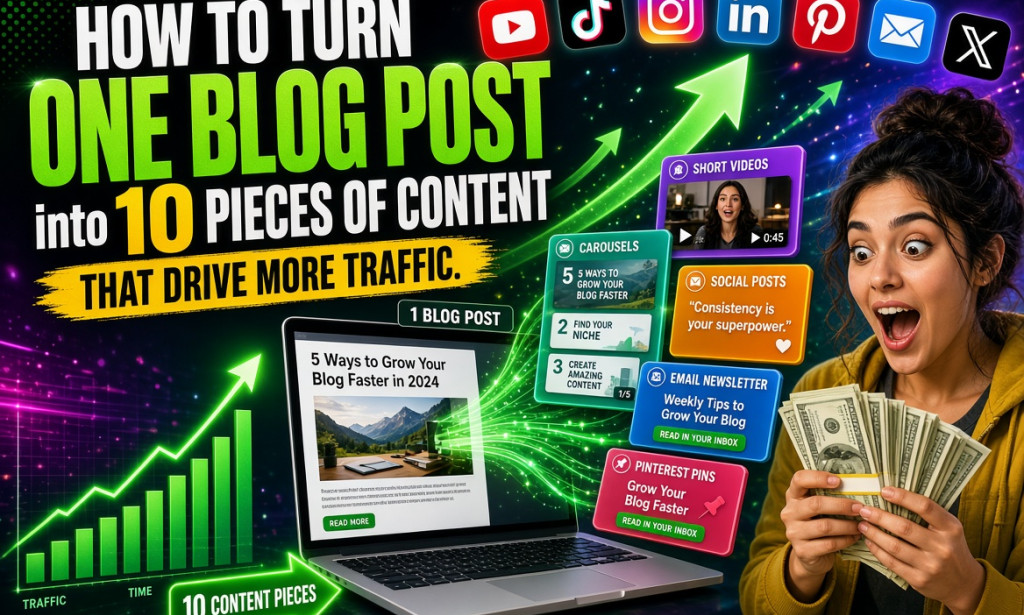
How to Turn One Blog Post into 10 Pieces of Content That Drive More Traffic
(Complete Step-by-Step Guide)
Most bloggers work hard to write one good post and then move on to the next one. Smart bloggers do something better: they take that one post and turn it into many different pieces of content. This is called content repurposing, and it is one of the fastest ways to get more traffic without writing everything from scratch.
In 2026, this strategy works even better because people consume content on many platforms. One strong blog post can feed YouTube, TikTok, Instagram, Pinterest, email, LinkedIn, and more.
This guide shows you exactly how to turn one blog post into 10 different pieces of content that bring extra traffic. All methods are free or very low cost.
Why Repurposing Works So Well
- You save time (you already did the hard research and writing)
- You reach people who prefer video, short text, or images
- Search engines and social platforms reward consistent activity
- One piece of content can keep working for months
Step 1: Choose the Right Blog Post to Repurpose
Start with a post that already has good potential:
- It is helpful and practical
- It has clear steps or a list
- It performed okay or has ranking potential
- The topic is still relevant in 2026
Evergreen how-to posts and list posts are usually the easiest to repurpose.
Step 2: Create a Short Video (YouTube Shorts / TikTok / Reels)
Take the main tip or one key step from your post.
- Record a 30–60 second video on your phone
- Start with a strong hook
- Explain the tip clearly
- Add text on screen
- End with a call to action (“Full guide on my blog – link in bio”)
One blog post can easily give you 3–5 short videos.
Step 3: Make a Carousel or Slide Post
Turn the main steps into a carousel for Instagram, LinkedIn, or Facebook.
- Use free tools like Canva
- Create 6–10 slides
- One idea per slide
- Keep text big and easy to read
- Add your blog link in the caption or first comment
Carousels often get high saves and shares.
Step 4: Write a Twitter/X Thread
Break the blog post into a thread of 6–12 tweets.
- Start with a strong opening tweet
- Share one key point per tweet
- End with a link to the full article
Threads can bring both traffic and new followers.
Step 5: Create a LinkedIn Post
Write a longer professional version of the main idea.
- Share a personal insight or result
- List the key steps
- Ask a question to encourage comments
- Link to the full blog post
LinkedIn loves useful, experience-based content.
Step 6: Design Simple Pinterest Pins
If your topic has visual appeal, create 3–5 pins.
- Use vertical design (1000 x 1500 pixels)
- Put a clear benefit in the text
- Link each pin to your blog post
Pinterest can send free traffic for a long time.
Step 7: Send an Email to Your List
Turn the blog post into a short, valuable email.
- Give one useful tip in the email
- Tell readers the full guide is on the blog
- Add a clear button or link
Even a small email list can send consistent traffic.
Step 8: Answer Questions on Quora or Reddit
Find related questions and write helpful answers based on your blog post.
- Give real value in the answer
- Naturally mention that you wrote a full guide
- Add the link when appropriate
This can bring traffic for months.
Step 9: Create a Checklist or Template
Pull out the actionable steps and turn them into a simple checklist or free downloadable template.
- Offer it in exchange for email (optional)
- Or just share it and link back to the full post
People love practical free resources.
Step 10: Make a Longer YouTube Video or Talking-Head Video
Expand the blog post into a 5–12 minute YouTube video.
- Use the same structure as the article
- Add personal examples
- Put the blog link in the description and pinned comment
YouTube can become a strong long-term traffic source.
Bonus Ideas (Extra Pieces)
- Quote graphics for Instagram or Pinterest
- A short Facebook post
- A newsletter section
- An updated version of the original post later
Simple Repurposing Checklist
- [ ] Strong blog post selected
- [ ] 1–3 short videos created
- [ ] Carousel made
- [ ] X thread written
- [ ] LinkedIn post published
- [ ] Pinterest pins designed
- [ ] Email sent
- [ ] Quora/Reddit answers posted
- [ ] Checklist or template created
- [ ] Longer video planned or published
Common Mistakes to Avoid
- Changing the message too much on every platform
- Forgetting to link back to the original post
- Posting once and never following up
- Making the content look spammy
Final Thoughts
You do not need to create new content every single day. Smart repurposing lets one good blog post work much harder for you.
Start with just three formats from this list. Once you get comfortable, add more. Over time you will build a system where every new blog post automatically becomes many pieces of content.
This is how many successful bloggers get more traffic without burning out.
You now have a clear 10-piece repurposing system. Pick one of your existing posts today and start turning it into extra traffic.


You must be logged in to post a comment.