

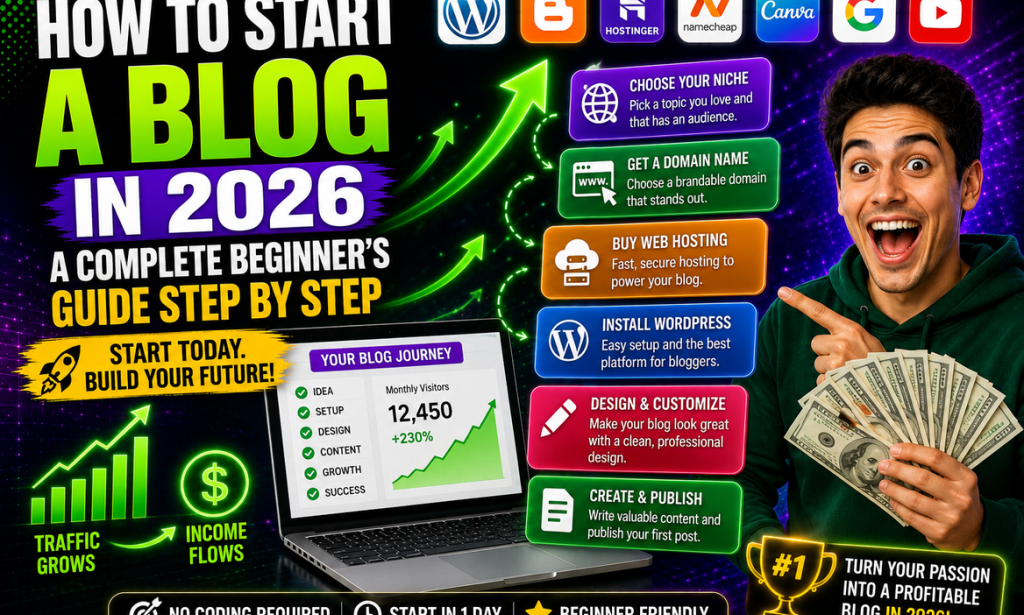
How to Start a Blog in 2026: A Complete Beginner's Step-by-Step Guide
Starting a blog in 2026 is easier than it used to be.
You don't need to be a professional web developer, know how to code, or have a huge budget.
What you do need is a clear topic, a simple website setup, useful content, and the patience to build your audience over time.
A blog can become many different things.
It can be:
-
A personal website
-
A portfolio
-
A source of income
-
A business marketing channel
-
An educational platform
-
A place to build an online audience
-
A foundation for selling products or services
The biggest mistake beginners make is thinking they need everything figured out before they start.
You don't.
You can start with a simple setup and improve your blog as you learn.
This guide walks you through the process step by step.
Step 1: Decide Why You Want to Start a Blog
Before buying a domain or choosing a hosting company, decide what you want your blog to accomplish.
Your goal could be:
-
Sharing knowledge
-
Building a personal brand
-
Getting freelance clients
-
Promoting a business
-
Making money
-
Building an email audience
-
Creating a portfolio
-
Documenting your experience
Your goal will influence the type of content you create.
For example, someone building a personal brand may write about their experience and expertise.
Someone trying to build an income-generating website may focus more heavily on search traffic, affiliate content, products, and email marketing.
Start with a clear reason.
Step 2: Choose a Niche
A niche is the main subject your blog focuses on.
Examples include:
-
Technology
-
Blogging
-
Personal finance
-
Fitness
-
Travel
-
Gardening
-
Cooking
-
Photography
-
Freelancing
-
Career development
-
Education
-
Productivity
You don't have to choose something extremely narrow.
But having a clear focus helps readers understand what your website is about.
Ask yourself:
What do I know about?
What do I enjoy learning about?
What problems can I help people solve?
Are people searching for information about this topic?
The best niche is often found where your knowledge, interest, audience demand, and potential opportunities overlap.
Step 3: Choose a Specific Target Audience
Don't think only about your topic.
Think about who you're writing for.
For example, instead of:
Technology blog
you could target:
Technology tips for beginners
Instead of:
Fitness blog
you could focus on:
Simple fitness advice for busy beginners
Instead of:
Blogging blog
you could target:
Practical blogging advice for new website owners
Knowing your audience makes content creation much easier.
Step 4: Choose a Domain Name
Your domain name is your website's address.
For example:
example.com
Try to choose something that is:
-
Easy to remember
-
Easy to spell
-
Relatively short
-
Relevant to your brand
-
Easy to pronounce
-
Flexible enough for future content
Avoid making your domain unnecessarily complicated.
You also don't have to put your exact keyword in the domain.
A memorable brand name can be more valuable over the long term.
Before registering a domain, check whether the name is available and whether there are existing businesses or trademarks that could create confusion.
Step 5: Choose Your Blogging Platform
You need software to manage your blog.
There are many options, but beginners commonly consider platforms such as WordPress and other hosted blogging systems.
For people who want more control over their website, a self-hosted WordPress setup is a popular option.
A blogging platform should allow you to:
-
Publish articles
-
Add images
-
Create pages
-
Customize your design
-
Install useful features
-
Manage your content
-
Connect analytics and SEO tools
Don't spend weeks comparing every platform.
Choose a solution that matches your goals and start creating.
Step 6: Choose Web Hosting
If you're using a self-hosted website, you'll need web hosting.
Hosting is where your website's files and database are stored so people can access your website online.
When comparing hosting options, consider:
-
Reliability
-
Performance
-
Security
-
Customer support
-
Backup options
-
Ease of installation
-
Pricing
-
Renewal costs
Don't choose a hosting company solely because it has the cheapest introductory price.
Look at the long-term cost and features.
Step 7: Install WordPress
After purchasing suitable hosting, you'll typically be able to install WordPress through your hosting dashboard.
Many hosting providers offer an automated installation process.
Once WordPress is installed, you'll have access to your administration dashboard.
From there you can:
-
Create posts
-
Create pages
-
Change your theme
-
Install plugins
-
Manage comments
-
Customize settings
The exact installation process depends on your hosting provider.
Step 8: Choose a Clean Theme
Your theme controls much of your blog's visual appearance.
When choosing one, prioritize:
-
Mobile responsiveness
-
Fast loading
-
Easy navigation
-
Readability
-
Clean design
-
Accessibility
-
Customization options
Don't spend days trying to create the world's most beautiful website.
Your content is more important.
A simple, professional website is better than a complicated design that loads slowly or makes articles difficult to read.
Step 9: Create the Essential Pages
Before publishing lots of articles, create the basic pages your website needs.
These may include:
About Page
Explain who you are and what the website is about.
Contact Page
Give readers a way to contact you.
Privacy Policy
Explain how your website handles visitor information.
Terms and Conditions
If appropriate for your website, provide terms governing its use.
Disclaimer
Depending on your niche and monetization methods, you may need relevant disclosures or disclaimers.
Legal requirements vary by location and website type, so consider getting appropriate professional advice for your specific situation.
Step 10: Set Up Your Navigation
Your website should be easy to navigate.
Create a simple menu containing important sections.
For example:
Home | Blog | About | Contact
If your website covers several major categories, you can include those as well.
Don't create a menu with twenty different links.
Keep it simple.
A visitor should be able to understand your website within a few seconds.
Step 11: Set Up Basic Security
Website security shouldn't be an afterthought.
At minimum:
-
Use strong passwords
-
Keep WordPress updated
-
Keep themes updated
-
Keep plugins updated
-
Use HTTPS
-
Remove plugins you don't use
-
Maintain backups
-
Use reputable plugins and themes
Regular updates are particularly important because outdated software can contain security vulnerabilities.
Step 12: Set Up Analytics
You need some way to understand how people use your website.
Analytics can show information such as:
-
Where visitors come from
-
Which pages receive traffic
-
How many people visit
-
Which content performs best
-
What devices visitors use
A common option is Google Analytics, although other privacy-focused analytics tools are available.
You don't need to obsess over analytics every day.
Use the data to understand what is working and where improvements may be useful.
Step 13: Set Up Search Console
Search Console can help website owners understand how their pages appear in Google Search.
It can provide information about:
-
Search queries
-
Impressions
-
Clicks
-
Search position
-
Indexing issues
-
Website performance in search
Setting this up early is useful because you can begin collecting information as your website grows.
Step 14: Do Keyword Research
Before writing dozens of articles, find out what your potential readers are searching for.
Start with broad topics related to your niche.
For example, if your blog is about blogging, possible topics include:
-
How to start a blog
-
Blog post ideas
-
Keyword research
-
SEO
-
Email marketing
-
Blog traffic
-
Affiliate marketing
Then look for more specific questions.
For example:
How to start a blog with no money
is more specific than:
Blogging
Specific questions often provide better starting points for new websites.
Step 15: Focus on Search Intent
Finding a keyword isn't enough.
Understand what the searcher wants.
If someone searches:
how to create a blog
they probably want instructions.
If someone searches:
best blogging platform
they may be comparing options.
If someone searches:
WordPress vs Blogger
they want a comparison.
Your article should satisfy the actual purpose behind the search.
Step 16: Create Your First Blog Posts
Don't publish random articles just because you want to increase your post count.
Create useful content that serves your target audience.
A new blog might start with:
-
Beginner guides
-
Tutorials
-
Frequently asked questions
-
Problem-solving articles
-
Comparisons
-
Resource guides
-
Checklists
Focus on quality.
One genuinely useful article can be more valuable than ten thin articles.
Step 17: Write Better Blog Titles
Your title determines whether many people will click.
Compare:
Blogging Tips
with:
10 Practical Blogging Tips for Beginners in 2026
The second title gives the reader more information.
Good titles should be:
-
Clear
-
Specific
-
Relevant
-
Useful
-
Accurate
Avoid misleading clickbait.
The title should accurately represent what the article delivers.
Step 18: Structure Your Articles Properly
Don't publish giant blocks of text.
Use:
-
Headings
-
Subheadings
-
Short paragraphs
-
Bullet points
-
Numbered lists
-
Images where useful
-
Examples
-
Tables when appropriate
Make the article easy to scan.
Many readers will quickly scroll through an article before deciding whether to read it carefully.
Good formatting helps them find what they need.
Step 19: Add Internal Links
Whenever you publish a new article, look for opportunities to link to related content.
For example, an article about starting a blog could link to:
-
Keyword research
-
SEO
-
Blog titles
-
Email marketing
-
Blog monetization
Internal links help readers discover more content.
They also help search engines understand the relationships between pages on your website.
Step 20: Create an Email List Early
Don't wait until you have thousands of visitors.
Start building an email list as soon as it makes sense.
Offer a useful free resource such as:
-
Checklist
-
Template
-
Guide
-
Resource list
-
Spreadsheet
-
Mini-course
Then give visitors a simple way to subscribe.
An email list can help you bring readers back whenever you publish something useful.
Step 21: Promote Your Content
Publishing an article doesn't guarantee that people will find it.
Promote your best content through appropriate channels such as:
-
Social media
-
Email
-
Online communities
-
Professional networks
-
Relevant forums
-
Partnerships
-
Outreach
Don't spam.
Share content where it genuinely helps people.
Step 22: Be Patient With SEO
One of the biggest mistakes new bloggers make is expecting Google traffic immediately.
SEO often takes time.
Your results depend on factors including:
-
Competition
-
Content quality
-
Search demand
-
Website authority
-
Relevance
-
Technical performance
-
Search intent
-
Consistency
Don't publish three articles and quit because traffic is low.
Give your website time to develop.
Step 23: Learn From Your Data
After your blog has been active for a while, examine your results.
Find out:
-
Which articles receive traffic?
-
Which topics perform best?
-
Which keywords bring visitors?
-
Which articles attract subscribers?
-
Which pages keep readers engaged?
Then create more content based on what you learn.
Your data can help you move from guessing to making informed decisions.
Step 24: Start Monetizing When Appropriate
Once your blog begins attracting the right audience, consider monetization.
Potential options include:
Affiliate Marketing
Recommend useful products and earn commissions through qualifying affiliate programs.
Digital Products
Sell ebooks, templates, courses, checklists, or other resources.
Services
Offer consulting, writing, design, coaching, or other skills.
Advertising
Display ads once your traffic and audience make the approach worthwhile.
Sponsorships
Work with relevant brands when your audience is large and engaged enough to make partnerships useful.
Don't try every monetization method at once.
Start with one that fits your audience.
Step 25: Keep Improving
Your first version of your blog doesn't have to be perfect.
Over time you can improve:
-
Website speed
-
Design
-
Content quality
-
SEO
-
Email marketing
-
Conversion rates
-
Navigation
-
Monetization
The important thing is to keep moving.
A Simple 30-Day Blogging Plan
If you're starting from zero, here's a simple schedule.
Week 1: Setup
-
Choose your niche
-
Choose your audience
-
Pick a domain
-
Set up hosting
-
Install your blogging platform
-
Choose a theme
-
Create essential pages
Week 2: Research
-
Find seed topics
-
Research keywords
-
Study competitors
-
Identify reader questions
-
Create a list of your first 20 article ideas
Week 3: Content
-
Write your first articles
-
Add useful images
-
Create internal links
-
Improve titles
-
Format your content properly
Week 4: Launch and Promote
-
Publish your best articles
-
Set up analytics
-
Set up Search Console
-
Create an email signup
-
Share your content
-
Start planning the next month
You don't need to finish everything in exactly 30 days.
Use this as a framework rather than a strict deadline.
Common Mistakes New Bloggers Should Avoid
1. Spending Too Much Money Before Validating the Idea
Don't buy unnecessary tools and services before you know what you need.
2. Choosing a Niche Only Because It Looks Profitable
If you have no interest or knowledge in the topic, maintaining the blog can become difficult.
3. Publishing Low-Quality Articles
More articles don't automatically mean more success.
4. Copying Competitors
Study successful websites, but create original content.
5. Ignoring Mobile Users
Make sure your website works well on phones.
6. Giving Up Too Early
A blog is a long-term project.
7. Focusing Only on Traffic
Traffic matters, but so do subscribers, engagement, trust, and revenue.
Beginner Blog Launch Checklist
-
Choose a niche
-
Define your audience
-
Choose a domain name
-
Purchase suitable hosting
-
Install WordPress or another blogging platform
-
Choose a clean theme
-
Create About and Contact pages
-
Set up privacy and other necessary legal pages
-
Configure basic security
-
Set up analytics
-
Set up Search Console
-
Research keywords
-
Plan your first 20 topics
-
Publish useful articles
-
Add internal links
-
Create an email signup
-
Promote your content
-
Study your analytics
-
Improve your content
-
Begin testing monetization
Final Thoughts
Starting a blog in 2026 doesn't require you to know everything about websites, SEO, or online business.
You can learn as you go.
Start with a clear niche.
Build a simple website.
Create useful content.
Learn what your audience wants.
Promote your best work.
Build an email list.
Then gradually explore ways to turn your audience into a sustainable business.
Don't worry about making your first version perfect.
Your first blog post probably won't be your best.
Your first design probably won't be your best.
Your first SEO strategy probably won't be your best either.
That's normal.
The important thing is to start, learn, improve, and keep publishing useful information.
A successful blog is built one useful article, one reader, and one improvement at a time.


You must be logged in to post a comment.