
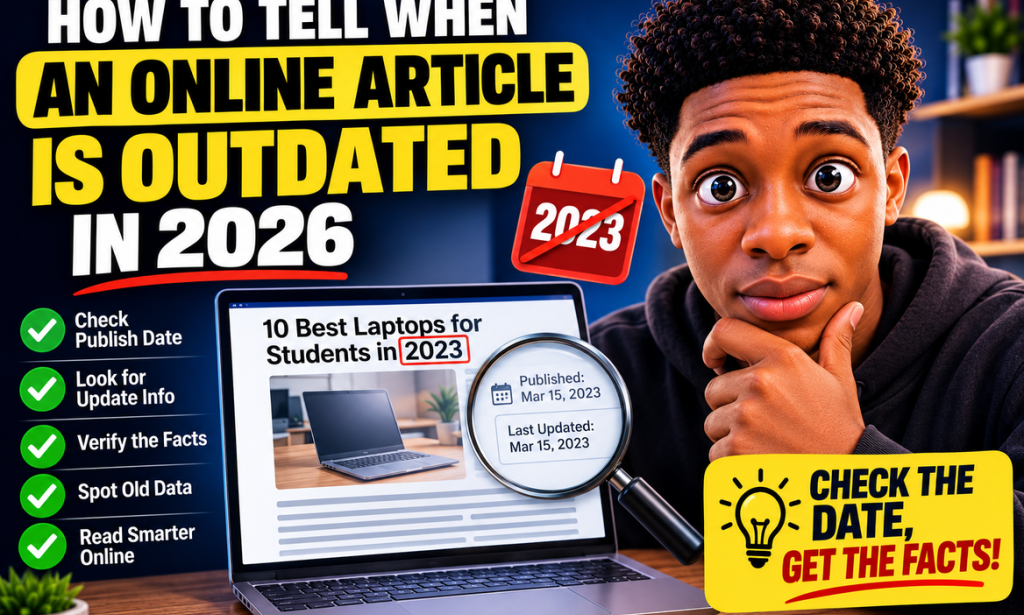
How to Tell When an Online Article Is Outdated in 2026: 15 Warning Signs to Check Before You Trust It
The internet is one of the easiest places to find information.
You can search for almost anything and immediately find articles, tutorials, reviews, guides, comparisons, news reports, opinions, and explanations.
But there is one problem that many people forget:
The internet does not automatically update itself.
An article published several years ago can remain online today even if the information inside it is no longer accurate.
A tutorial may recommend a feature that no longer exists.
A product review may discuss a device that has already been replaced.
A financial article may mention old prices.
A technology guide may show an interface that has completely changed.
A legal article may describe rules that have since been amended.
A statistics article may quote numbers that are several years old.
Sometimes an old article is still useful. Sometimes it is completely outdated.
The difficult part is knowing the difference.
This guide explains how to identify outdated online articles in 2026 and how to check whether the information is still relevant before you rely on it.
Why Outdated Articles Are a Problem
An old article isn't automatically a bad article.
Some information remains useful for many years.
For example, an article explaining basic writing principles may remain useful for a long time.
A historical article can obviously be decades old and still be valuable.
A tutorial explaining a fundamental mathematical concept doesn't necessarily become useless because it was published years ago.
The problem occurs when information changes faster than the article.
This happens frequently with:
-
Technology
-
Software
-
Apps
-
Online services
-
Prices
-
Jobs
-
Laws
-
Regulations
-
Travel requirements
-
Financial information
-
Products
-
Search engines
-
Social media
-
Security recommendations
-
Government programs
-
Business policies
If an article discusses something that changes frequently, its age becomes much more important.
The First Thing to Check: When Was the Article Published?
The easiest warning sign is the publication date.
Look near:
-
The headline
-
The author's name
-
The top of the article
-
The bottom of the page
-
The article information section
You may see wording such as:
Published January 10, 2026
or:
Posted March 4, 2024
or:
Originally published in 2022
This immediately gives you an idea of how old the article is.
However, don't stop here.
An article published in 2026 can still contain outdated information if the underlying information hasn't been maintained.
And an article published in 2021 can still contain useful information if the subject hasn't changed much.
The date is a clue, not a final answer.
Warning Sign #1: There Is No Publication Date
Be cautious when an article provides no publication date at all.
A missing date makes it difficult to determine how old the information is.
For example, imagine you find an article titled:
"Best Online Tools for Small Businesses."
It looks useful.
But there is no date anywhere on the page.
You don't know whether it was written:
-
Last week
-
Last year
-
Five years ago
-
Ten years ago
That matters because recommendations can become outdated quickly.
If there is no date, look for other clues.
Check:
-
The page source
-
Author information
-
URLs
-
References
-
Screenshots
-
Product versions
-
Statistics
-
Copyright notices
-
Linked pages
You may be able to estimate when the article was created.
Warning Sign #2: The Article Is Several Years Old
Age doesn't automatically make information wrong.
But the older an article becomes, the more carefully you should examine it.
Consider an article published in 2020 titled:
"Best Smartphones to Buy."
Even if the article was excellent when published, the recommended smartphones may no longer be sold.
The same problem applies to:
-
Laptop recommendations
-
Software guides
-
App tutorials
-
Website recommendations
-
Online business strategies
-
Subscription services
-
Security guides
A five-year-old article about history may be perfectly useful.
A five-year-old article about current technology may be extremely outdated.
Always consider the subject, not just the age.
Warning Sign #3: The "Last Updated" Date Is Old
Some websites display both:
Published: 2023
Last Updated: 2023
This can be useful.
Other articles might say:
Published: 2020
Updated: 2026
That is different.
An updated date suggests that someone may have reviewed the article.
But be careful.
Some websites change the date without meaningfully updating the content.
Don't assume that changing the date automatically makes old information current.
Read the article and look for evidence that the information was actually revised.
Warning Sign #4: The Article Mentions Old Versions
This is one of the easiest ways to identify outdated technology content.
Look for phrases such as:
-
Version 10
-
iPhone 12
-
Android 11
-
Windows 10
-
Older browser versions
-
Previous app interfaces
-
Old software menus
-
Discontinued products
An article may have been excellent when written, but if the instructions depend on an old version, the steps may no longer work.
For example, an article might say:
"Open the menu in the top-right corner and select the option shown below."
You follow the instructions.
The menu doesn't exist.
That's a strong indication that the guide hasn't been updated.
Warning Sign #5: The Screenshots Look Old
Screenshots can reveal the age of an article immediately.
Look carefully at:
-
App interfaces
-
Website designs
-
Buttons
-
Menus
-
Logos
-
Operating systems
-
Product designs
-
Browser layouts
If the screenshot shows an interface that looks completely different from what you see today, the article may be outdated.
This doesn't necessarily mean everything in the article is wrong.
But it means you should verify the current procedure elsewhere.
Warning Sign #6: The Article Uses Old Statistics
Statistics can become outdated surprisingly quickly.
Suppose an article says:
"There are 2 million users of this service."
When was that number measured?
Maybe the article was published four years ago.
The actual number could now be much higher—or lower.
Whenever you see statistics, ask:
What year does this number represent?
Look for phrases such as:
-
According to 2021 data
-
In a 2022 survey
-
Based on 2023 figures
-
Research from 2020
-
Last year's report
Older statistics can still be useful when discussing history.
But don't present them as current numbers.
Warning Sign #7: The Links Are Broken
Broken links are another useful clue.
If an article contains many links that lead to:
-
404 pages
-
Deleted websites
-
Discontinued products
-
Redirects
-
Empty pages
the article may not have been maintained.
One broken link doesn't necessarily mean anything.
Websites regularly move pages.
But if half the references are dead, the article may have been abandoned.
Warning Sign #8: Recommended Products Are No Longer Available
This is especially common with product articles.
Imagine an article titled:
"10 Best Budget Laptops."
The article recommends five laptops.
You search for them.
Three have been discontinued.
Two are several generations old.
That is a major warning sign.
A product article should generally be checked carefully for:
-
Current availability
-
Current price
-
Current specifications
-
Current competitors
-
Current reviews
-
Current software support
Product information can change rapidly.
Warning Sign #9: Prices Look Suspiciously Low or High
Prices are another obvious clue.
Suppose an article says:
"This laptop costs $499."
You check the manufacturer's website and discover that the current model costs $799.
The article may be using an old price.
The opposite can also happen.
A product that was expensive when released may now be much cheaper.
Don't assume the price in an article is current.
Always check the seller or manufacturer's current pricing when money is involved.
Warning Sign #10: The Article Discusses Old Laws or Regulations
This is particularly important.
Legal and regulatory information can change.
An article explaining:
-
Taxes
-
Immigration
-
Employment rules
-
Business registration
-
Privacy requirements
-
Consumer protection
-
Driving regulations
-
Travel requirements
may become inaccurate after laws change.
If the information could affect your legal or financial situation, don't rely solely on an old article.
Check the relevant official authority or current legal source.
The article can help you understand the subject, but current rules should be verified independently.
Warning Sign #11: The Article Refers to Events as Future Events
This is an obvious but surprisingly useful clue.
Imagine reading an article in 2026 that says:
"The event will take place in 2024."
Clearly, the article hasn't been properly updated.
You may also see phrases such as:
-
"Coming next year"
-
"Launching soon"
-
"Will be released"
-
"Expected later this year"
-
"The company plans to..."
If the event already happened, the article may be old.
Warning Sign #12: The Article Uses Old Social-Media Information
Social-media platforms change frequently.
An article might say:
"Click this button to create your profile."
But the button may no longer exist.
Platforms regularly change:
-
Menus
-
Privacy settings
-
Advertising systems
-
Account types
-
Features
-
Subscription plans
-
Posting options
-
Monetization requirements
If an article is teaching you how to use a platform, check its date carefully.
Warning Sign #13: The Recommendations No Longer Match Current Reality
Sometimes an article doesn't contain an obvious factual error.
Instead, the recommendations simply don't make sense anymore.
For example:
"These are the best ways to communicate with customers online."
The article recommends services that are now unpopular or discontinued.
The information may have been reasonable when written.
But the online environment has changed.
This is common with:
-
Marketing
-
Blogging
-
Social media
-
Online advertising
-
Freelancing
-
E-commerce
-
Content creation
Recommendations are particularly sensitive to changing trends.
Warning Sign #14: The Article References Old Events as If They Are Current
Look for references to:
-
Elections
-
Product launches
-
Economic conditions
-
Sporting events
-
Conferences
-
Company announcements
-
Temporary promotions
-
Government programs
An article might say:
"The company is currently offering..."
But the promotion may have ended years ago.
Or it might say:
"The market is experiencing..."
while describing economic conditions from several years earlier.
Context matters.
Warning Sign #15: Recent Information Contradicts the Article
This is perhaps the strongest warning sign.
Suppose you find an article saying:
"Company X still offers this service."
You then visit the company's official website and discover that the service was discontinued.
The newer source should make you question the old article.
Don't automatically assume the older article is still correct simply because it appears high in search results.
Search for newer information.
How to Check Whether an Article Is Still Current
Now that you know the warning signs, let's look at a practical process.
Step 1: Find the Publication Date
Look near the headline.
Write down the date.
Step 2: Find the Last Updated Date
If there is one, record it separately.
Don't confuse:
Published
with:
Updated
They can represent completely different moments.
Step 3: Identify What the Article Is Actually About
Ask:
What type of information does this article provide?
Is it:
-
Historical?
-
Educational?
-
Technical?
-
Financial?
-
Legal?
-
Product-related?
-
News?
-
Travel?
-
Health?
-
Business?
-
Entertainment?
Different subjects have different lifespans.
Information Has Different "Lifespans"
This is an important concept.
Some information has a long lifespan.
Other information becomes obsolete quickly.
Usually long-lasting
-
Basic mathematics
-
Grammar principles
-
Historical facts
-
General writing advice
-
Basic scientific concepts
-
General educational principles
Medium lifespan
-
Business strategies
-
Career advice
-
General marketing advice
-
Productivity techniques
-
General financial education
Short lifespan
-
Product prices
-
App interfaces
-
Software instructions
-
Current events
-
Travel requirements
-
Social-media features
-
Laws and regulations
-
Technology specifications
-
Current rankings
Knowing the information's expected lifespan helps you decide how much verification is necessary.
Step 4: Look for Current Official Information
If the article discusses a product, visit the manufacturer's website.
If it discusses an app, check the app's current help documentation.
If it discusses a law, check the relevant official government source.
If it discusses a company policy, check the company's current policy page.
If it discusses a product price, check current retailers.
The closer you get to the original authority, the better.
Step 5: Search for More Recent Articles
Search the same topic with the current year.
For example:
best budget laptops 2026
or:
how to use [service] 2026
or:
[topic] latest update
Compare the newer articles with the older one.
If newer sources consistently disagree with the old article, investigate why.
Step 6: Compare the Details
Don't compare only the headlines.
Look at:
-
Numbers
-
Dates
-
Product names
-
Features
-
Prices
-
Requirements
-
Instructions
-
Statistics
-
Policies
This helps you determine exactly which parts have changed.
Step 7: Check the Sources Cited by the Article
An article may contain references.
Open them.
Are the sources themselves recent?
An article can be updated in 2026 while still relying on research from 2018.
That may be perfectly appropriate in some subjects.
But it can also be a warning sign.
Step 8: Check Whether the Article Has Been Maintained
A maintained article often shows evidence of ongoing work.
Look for:
-
Updated sections
-
New examples
-
Current screenshots
-
New links
-
Recent statistics
-
Revised recommendations
-
Updated product names
If everything looks frozen in time, be cautious.
When an Old Article Is Still Worth Reading
Don't make the mistake of thinking:
Old = useless.
That's not true.
An old article can still be extremely valuable.
Example 1: Historical Information
An article from 2010 about an event that happened in 1990 can still be useful.
Example 2: Basic Concepts
An article explaining basic grammar may remain accurate for many years.
Example 3: Historical Technology
An old article can help you understand how technology developed.
Example 4: Case Studies
Old business examples can still teach useful lessons.
Example 5: Fundamental Skills
Basic writing, mathematics, research, and communication principles may remain useful.
The question isn't:
"Is this article old?"
The better question is:
"Has the information inside this article changed?"
Don't Judge an Article Only by Its Date
Consider two articles.
Article A
Published in 2021.
It explains a fundamental writing principle that hasn't changed.
Article B
Published in 2025.
It describes a software feature that was removed in early 2026.
Which one is more current?
Obviously, Article A may be more useful.
That's why you should evaluate the subject and evidence rather than relying on the date alone.
A Quick 10-Second Test
When you open an article, ask six questions:
1. When was it published?
2. When was it last updated?
3. Does it mention old products, versions, or events?
4. Are the statistics current?
5. Are the links still working?
6. Does a newer authoritative source disagree?
If several answers raise concerns, investigate further.
A More Detailed 30-Minute Verification Process
For important information, take more time.
First 5 minutes
Check:
-
Date
-
Author
-
Website
-
Update date
-
Headline
Next 5 minutes
Look for:
-
Old statistics
-
Old screenshots
-
Old products
-
Broken links
-
Old terminology
Next 10 minutes
Search for:
-
Newer articles
-
Official sources
-
Current documentation
-
Recent reports
Final 10 minutes
Compare:
-
Dates
-
Numbers
-
Claims
-
Recommendations
-
Sources
At the end, you should have a much better idea of whether the article remains useful.
What About Articles That Don't Show Any Date?
This is common.
If there is no date, look for indirect clues.
Check the URL
Some websites include dates:
example.com/2024/05/article
This can suggest when it was published.
Check the comments
Old comments can reveal when people first discovered the article.
Check external references
If the article links to a 2021 report, the article may have existed around that period.
Search the headline
Search engines may show older versions or mentions.
Search the author's name
The author's publishing history may provide clues.
None of these methods is perfect.
But together they can help establish an approximate timeline.
Why Some Websites Keep Old Information Online
There are several reasons.
A website may keep old articles because:
-
They still receive search traffic.
-
The content is historically valuable.
-
The publisher hasn't reviewed it.
-
Updating it requires time.
-
The website has thousands of articles.
-
The topic is no longer a priority.
-
The article remains useful for background information.
Therefore, the presence of an article online doesn't mean the publisher guarantees that every detail is current.
Search Engine Rankings Don't Guarantee Freshness
A common mistake is assuming:
"If it appears at the top of search results, it must be current."
That's not necessarily true.
Search engines consider many factors when ranking pages.
An older article can rank highly because it has:
-
Many backlinks
-
Strong authority
-
Good structure
-
Lots of references
-
A long history
-
Strong user engagement
It may still contain outdated information.
Always check the content itself.
Be Careful With "Updated" Labels
An updated date is helpful, but don't blindly trust it.
Some websites update an article thoroughly.
Others may change only a small part.
For example, an article might be labeled:
Updated June 2026
because the publisher changed one paragraph.
The rest of the article may still contain information from 2021.
Read the article carefully.
Look for Internal Contradictions
This is a useful technique.
An article might say:
"The current version is Version 5."
Later, it might say:
"Version 3 introduced this feature."
That doesn't automatically mean the article is wrong.
But if the article uses Version 3 screenshots and Version 5 terminology inconsistently, it may have been partially updated.
Internal contradictions are a useful warning sign.
Look for Old Company Names
Companies sometimes:
-
Rebrand
-
Merge
-
Change ownership
-
Shut down
-
Rename products
-
Discontinue services
If an article repeatedly uses an old company or product name, investigate when it was written.
Check Whether Recommended Websites Still Exist
An old article may recommend websites that have:
-
Shut down
-
Changed their business model
-
Started charging money
-
Changed their purpose
-
Been acquired
-
Become unsafe or unreliable
Don't assume that an old recommendation is still appropriate today.
Visit the current website before following the advice.
Check Current User Experiences
For products and services, recent user reviews can provide another clue.
Look at recent feedback.
Are people reporting:
-
Different features?
-
New prices?
-
Poor service?
-
New restrictions?
-
A completely different experience?
Recent experiences can help you identify changes that an older article doesn't mention.
Don't Use Old Information for Important Decisions Without Verification
This is especially important when information involves:
-
Money
-
Legal obligations
-
Safety
-
Security
-
Travel
-
Employment
-
Education requirements
-
Government services
-
Major purchases
Use an old article as a starting point, not the final authority.
Find the current source.
How Bloggers Can Keep Their Own Articles Updated
This isn't only useful for readers.
If you run a website, keeping your own articles current can improve their usefulness.
Create a review schedule.
For example:
Every 3 months
Review fast-changing topics.
Every 6 months
Review moderately changing topics.
Once a year
Review evergreen content.
Check:
-
Dates
-
Links
-
Screenshots
-
Statistics
-
Prices
-
Product names
-
Recommendations
-
References
Remove information that no longer applies.
A Simple Article Maintenance Checklist for Bloggers
Before republishing or updating an old article:
-
Check the publication date.
-
Check the last updated date.
-
Test every important link.
-
Check old statistics.
-
Verify product names.
-
Verify current prices.
-
Replace outdated screenshots.
-
Update old examples.
-
Remove discontinued services.
-
Check external references.
-
Add newer information.
-
Review the conclusion.
-
Make sure the title still matches the article.
This can dramatically improve the quality of an older website.
How Readers Can Protect Themselves From Outdated Information
You don't have to become an expert researcher.
Develop a few simple habits.
Habit 1: Look at the date.
Habit 2: Ask how quickly the subject changes.
Habit 3: Look for newer information.
Habit 4: Check official sources.
Habit 5: Don't trust old statistics automatically.
Habit 6: Be cautious with old product recommendations.
Habit 7: Verify important information before acting on it.
These habits take very little time.
A Practical Example
Imagine you find an article titled:
"Best Free Tools for Creating a Website."
The article looks professional.
It has a nice design.
It appears in search results.
But then you investigate.
The article was published in 2021.
One recommended service no longer exists.
Another now requires payment.
A third changed its features.
The screenshots show an old interface.
The article references statistics from 2020.
Now you know the article is outdated.
It might still contain useful concepts.
But it shouldn't be used as your main source for current recommendations.
Another Example: An Old Tutorial
Imagine you find:
"How to Change Your Privacy Settings on a Popular Social Platform."
The article was published several years ago.
The instructions say:
-
Open Settings.
-
Click Privacy.
-
Select the option shown in the screenshot.
You open the platform.
The menu looks completely different.
That's a strong sign that the tutorial needs updating.
Instead of blindly following the old instructions, look for the platform's current help documentation.
Another Example: A Product Review
Imagine you find:
"The 10 Best Budget Phones."
The article is from 2022.
One of the recommended phones is no longer manufactured.
Another has an outdated operating system.
A newer model now offers better specifications at a similar price.
The article may have been accurate in 2022.
But it isn't necessarily a good buying guide for 2026.
Another Example: Travel Information
Travel information can change quickly.
An old article may describe:
-
Visa requirements
-
Entry procedures
-
Airport rules
-
Health documentation
-
Transportation
-
Local fees
Before traveling, verify current requirements through relevant official sources.
Never assume an old travel article is still accurate simply because it appears detailed.
Another Example: Business Advice
An article about starting a business may remain useful for years.
But specific information about:
-
Registration fees
-
Taxes
-
Platforms
-
Payment processors
-
Advertising costs
-
Marketplaces
can change.
Separate the timeless principles from the time-sensitive details.
The Most Important Question to Ask
When evaluating any online article, ask:
"What parts of this information are likely to change?"
This is better than simply asking:
"How old is the article?"
For example:
An article about photography composition may contain principles that remain useful for decades.
An article about camera prices can become outdated within months.
An article about a historical event can remain useful indefinitely.
An article about current software settings can become outdated after an update.
Think about the lifespan of the information.
The Difference Between Outdated and Incorrect
These terms are not always the same.
Outdated
The information may have been correct when published but is no longer current.
Incorrect
The information may have been wrong from the beginning.
This distinction matters.
An old article isn't necessarily bad.
It may simply need updating.
Likewise, a recent article isn't automatically accurate.
Don't Delete Old Knowledge Just Because It's Old
There is value in historical information.
Old articles can show:
-
How technology developed
-
How businesses changed
-
How products evolved
-
What people believed at a particular time
-
How markets changed
-
How policies developed
The key is labeling information correctly.
Historical information should be understood as historical information.
Current information should be verified as current information.
A Simple Rule for 2026
Use this rule:
The faster a topic changes, the more recently you should verify it.
For example:
Very fast-changing
-
Software
-
Apps
-
Technology
-
Prices
-
Current events
Verify frequently.
Moderately changing
-
Business strategies
-
Career advice
-
Marketing
-
Consumer products
Check dates and newer sources.
Slow-changing
-
History
-
Basic mathematics
-
Grammar
-
Fundamental concepts
Age may matter less.
Final 15-Point Checklist
Before trusting an online article, check these 15 things:
-
Publication date
-
Last updated date
-
Author
-
Old statistics
-
Old screenshots
-
Old product versions
-
Broken links
-
Discontinued products
-
Old prices
-
Old laws or policies
-
Old events
-
Outdated recommendations
-
Contradictory newer information
-
Quality of the cited sources
-
Current official information
The more warning signs you discover, the more carefully you should verify the article.
Final Thoughts
The internet is full of valuable information, but information has a lifespan.
Something that was accurate several years ago may not be accurate today.
That doesn't mean old articles should automatically be ignored.
It means you need to understand what has changed and what has remained the same.
When you open an online article, don't immediately assume that the information is current.
Look for the publication date.
Check the last update.
Look at the examples and screenshots.
Examine statistics.
Test the links.
Look for discontinued products.
Compare the information with newer sources.
And when the topic involves money, laws, travel, safety, security, or another important decision, go directly to a current authoritative source whenever possible.
The most important lesson is simple:
Don't judge information only by how professional the website looks. Judge it by how current, relevant, and verifiable the information is.
An old article can still teach you something valuable.
A new article can still contain mistakes.
The goal isn't to reject everything old or trust everything new.
The goal is to verify information before depending on it.
In 2026, this is an increasingly useful online skill.
Before you trust, quote, publish, buy, travel, download, or make an important decision based on something you found online, take a few seconds to ask:
When was this written? Has anything changed? And can I verify it somewhere more current?
That simple habit can save you time, money, and unnecessary mistakes.

You must be logged in to post a comment.